Tracking equipment maintenance in Google Sheets is one of the most practical things a small operations team can do. It replaces informal memory and paper logs with a structured record that anyone on the team can access and update.
The challenge is not building the sheet. It is building it in a way that stays accurate over time and actually gets used by the people doing the maintenance work.
What Is Equipment Maintenance Tracking?
Equipment maintenance tracking is the process of recording every maintenance activity carried out on a piece of equipment: what was done, when, by whom, what was found, and what the outcome was.
A well-maintained equipment log serves two purposes. First, it prevents things from being missed. When maintenance history is visible, it is easier to spot patterns, identify recurring failures, and plan the next intervention accurately. Second, it provides accountability. A log entry with a date, technician name, and outcome is a verifiable record, not an assumption.
What Your Equipment Maintenance Tracker Needs
Before building anything in Google Sheets, define what the tracker must capture. A functional equipment maintenance log should include:
Asset ID and name. A unique reference for each piece of equipment. This ties every log entry to a specific asset unambiguously, even when equipment names are similar.
Location. Where the asset is physically located. For operations with multiple sites, this field is essential for filtering and reporting by location.
Maintenance type. Whether the intervention was preventive (scheduled) or corrective (reactive). This distinction is one of the most valuable things you can track. Over time the ratio of preventive to corrective maintenance tells you whether your schedule is working.
Task description. What was actually done. Not just "serviced" but "replaced filter, checked fluid levels, tested pressure valve."
Technician name. Who carried out the work. One name, not a team. If something needs to be followed up, you need to know who to speak to.
Date of intervention. When the work was completed. Not when it was scheduled.
Duration. How long the intervention took. Over time this helps with capacity planning and scheduling.
Parts used. Any components replaced or consumed during the intervention. This feeds into parts inventory management and purchasing decisions.
Findings and observations. What the technician noticed during the work. Early signs of wear, unusual readings, or components approaching end of life. This is where preventive value is built.
Next scheduled date. When the next maintenance intervention is due for this asset. This keeps the log and the schedule connected.
Status. Completed, in progress, or requiring follow-up. A simple status field makes the log actionable rather than just historical.
How to Structure the Tracker in Google Sheets
A flat table with all log entries in a single sheet works for small equipment lists. As the number of assets and entries grows, a multi-sheet structure becomes easier to maintain.
Sheet 1 - Asset Register. One row per asset. Asset ID, name, category, location, purchase date, and any relevant technical specs. This is the master reference. Every log entry in other sheets references an asset ID from here.
Sheet 2 - Maintenance Log. One row per intervention. Asset ID, maintenance type, task description, technician, date, duration, parts used, findings, and next scheduled date. This is the running record of everything that has been done.
Sheet 3 - Upcoming Maintenance. A filtered view of assets with their next scheduled dates, sorted by date ascending. This is the operational view - what is coming up and when. A simple formula pulls from the log and highlights anything due within the next 14 or 30 days.
Sheet 4 - Parts and Consumables. If you are tracking parts used per intervention, a separate sheet for parts records helps connect maintenance activity to inventory consumption. This is optional for small operations but useful as complexity grows.
This structure separates the reference data (assets) from the activity data (log) and the planning view (upcoming), which makes each sheet easier to use and maintain independently.
Setting Up the Log: Practical Tips
Use data validation for key fields. Maintenance type, technician name, and status should be dropdown fields, not free text. Free text fields accumulate inconsistencies quickly. "Preventive", "preventative", "PM", and "planned" all mean the same thing but cannot be filtered or counted reliably.
Lock the asset ID column. Prevent accidental edits to the reference field that ties each log entry to the correct asset.
Use a consistent date format. Pick one format and apply it across all date fields. Mixed formats break sorting and date arithmetic.
Add a row for every intervention, even minor ones. The temptation is to skip logging small tasks. Over time, the missing entries create gaps in the history that make it hard to diagnose recurring problems or estimate how much maintenance time a particular asset actually requires.
Protect the header row. Prevent column headers from being accidentally overwritten.
Where a Spreadsheet-Based Log Breaks Down
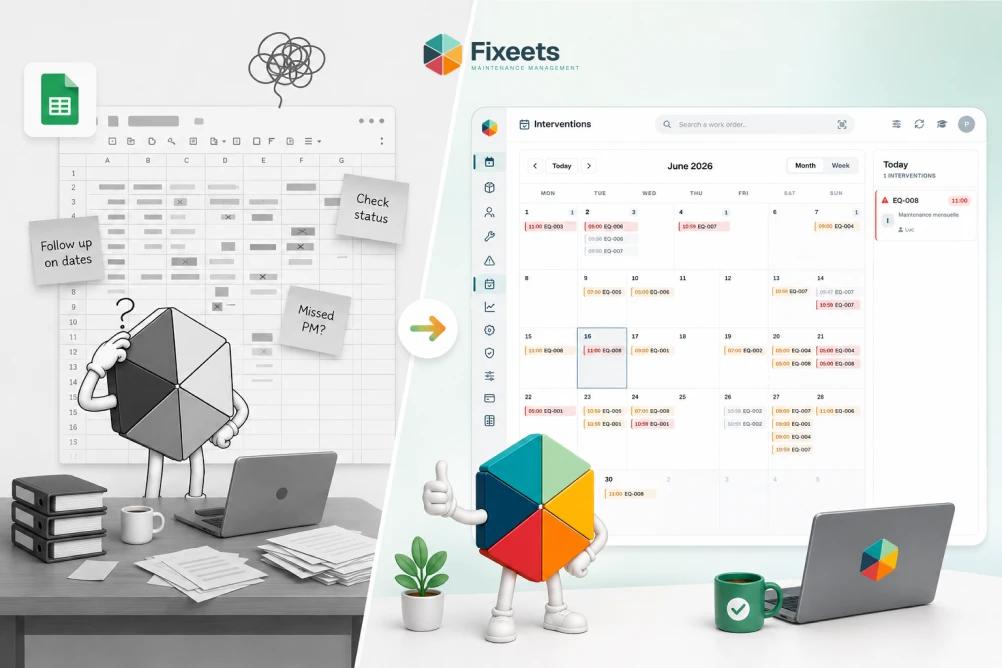
A well-structured Google Sheets maintenance tracker is significantly better than no system at all. But there are predictable failure points as operations scale.
No automatic next-date calculation. After completing an intervention and logging it, the next scheduled date does not update automatically. Someone has to calculate it and enter it manually. If this step gets skipped, the upcoming maintenance view becomes unreliable.
No reminders or alerts. Unless someone opens the sheet and checks it, overdue maintenance stays invisible. Spreadsheets do not push notifications.
Mobile input is difficult. Technicians completing work in the field often cannot easily update a Google Sheet from a phone. Logging happens later at a desk, if at all. This creates a lag between when work is done and when it is recorded, which erodes the accuracy of the log.
Version conflicts. Multiple users updating the log simultaneously can overwrite each other's entries, particularly when working in the same rows.
No link between the log and the schedule. A standalone log does not automatically update the preventive maintenance schedule. The two stay in sync only if someone manually manages both.
Moving to a Structured Maintenance System
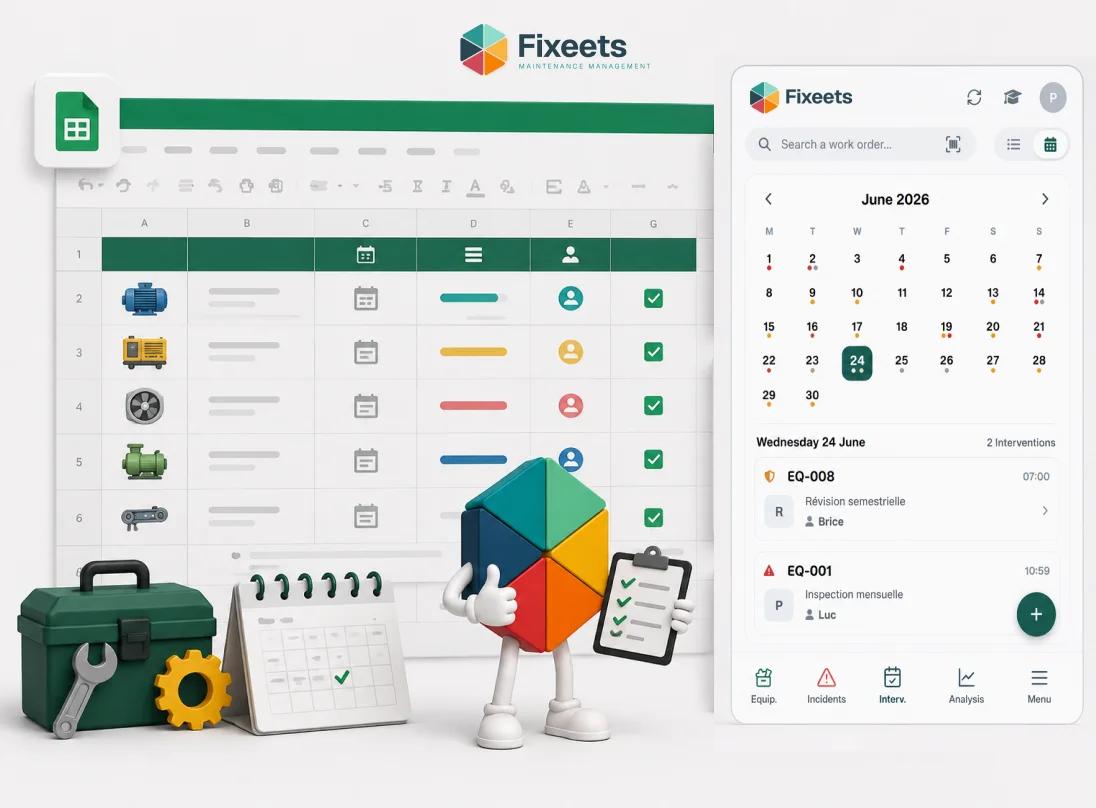
Fixeets Maintenance Management addresses these gaps while keeping the team inside Google Sheets and Google Workspace.
The core difference is structure. Work orders are created per intervention and tied to specific assets. When a technician completes a work order, the intervention is logged automatically. The next scheduled date updates based on the task's recurrence setting. There is no manual transfer between a schedule and a log.
The maintenance history builds over time without requiring a separate logging step. For operations managers, this means the equipment record is always current, not dependent on someone remembering to update a spreadsheet after the fact.
If you have already built a preventive maintenance schedule and want to connect it to a reliable tracking system, the article on how to build a preventive maintenance schedule in Google Sheets covers the planning side of the setup.
To see how Fixeets handles maintenance tracking in practice, visit the Fixeets maintenance management page.
Connecting Maintenance Tracking to Performance Metrics
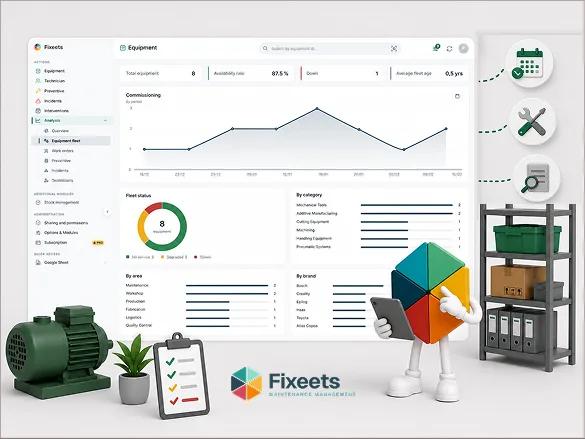
An equipment maintenance log is the data source for the metrics that help operations managers make better decisions. Without consistent logging, metrics like mean time between failures, schedule adherence rate, and planned versus reactive maintenance ratio cannot be calculated reliably.
If you are working toward a more structured approach to maintenance measurement, the article on maintenance management KPIs every operations manager should track covers which metrics matter and what data they require. And once the tracker is in place, building a maintenance history log covers how to read that accumulated data for patterns like recurring failures and true cost per asset, not just look entries up individually.
Key Takeaways
- Equipment maintenance tracking replaces informal memory and paper logs with a structured, accessible record of every intervention.
- A functional maintenance log needs asset ID, maintenance type, task description, technician name, date, duration, parts used, findings, next scheduled date, and status.
- A multi-sheet structure in Google Sheets - asset register, maintenance log, upcoming maintenance view, and optional parts log - is more maintainable than a single flat table.
- Use data validation for key fields to prevent inconsistencies that break filtering and reporting.
- Spreadsheet-based logs break down when next-date calculation is manual, when reminders are absent, and when mobile input is impractical.
- Fixeets adds structured work orders, automatic intervention logging, and recurrence logic directly inside Google Sheets, so the log stays current without a separate manual update step.
Frequently Asked Questions
What is equipment maintenance tracking? Equipment maintenance tracking is the process of recording every maintenance activity carried out on a piece of equipment, including what was done, when, by whom, what was found, and what the next intervention date is. It converts informal maintenance knowledge into a structured, searchable history.
How do I track equipment maintenance in Google Sheets? Create a multi-sheet file with an asset register, a maintenance log, and an upcoming maintenance view. Use data validation for key fields like maintenance type and technician name. Log every intervention with a consistent set of fields including date, task description, technician, findings, and next scheduled date.
What fields should a maintenance log include? At minimum: asset ID, maintenance type (preventive or corrective), task description, technician name, date of intervention, duration, parts used, findings, next scheduled date, and status.
What is the difference between a maintenance log and a maintenance schedule? A maintenance schedule defines what needs to happen and when. A maintenance log records what actually happened. Both are necessary. The schedule drives the plan; the log builds the history and feeds performance metrics.
How do I track overdue maintenance in Google Sheets? Use a calculated column that compares the next scheduled date to today's date. Apply conditional formatting to highlight rows where the next date has passed and status is not marked complete. This requires someone to open and check the sheet regularly.
Why does maintenance tracking break down in spreadsheets? Common failure points are manual next-date entry that gets skipped, no automatic reminders for overdue tasks, difficult mobile input for field technicians, version conflicts when multiple users edit simultaneously, and no automatic link between the log and the schedule.
Does Fixeets replace my Google Sheets maintenance log? No. Fixeets runs inside Google Sheets and Google Workspace. It adds structured work orders, automatic intervention logging, and recurrence logic on top of your existing environment rather than replacing it.
How does Fixeets log maintenance interventions automatically? When a technician completes a work order in Fixeets, the intervention is recorded in the maintenance log automatically. The next scheduled date updates based on the task's recurrence setting. There is no separate manual logging step required.
Can I track maintenance across multiple locations in Google Sheets? Yes, with a location field in your asset register and maintenance log. Filtering by location gives you a site-specific view. Fixeets supports multi-location maintenance tracking with visibility across sites managed within the same Google Workspace environment.
What maintenance KPIs can I calculate from a Google Sheets maintenance log? With consistent logging, you can calculate mean time between failures, schedule adherence rate, planned versus reactive maintenance ratio, average intervention duration, and parts consumption per asset. These metrics require accurate and complete log entries to be meaningful.