A reorder point is the stock level at which you need to place a new order. Set it right and stock arrives before you run out. Set it too low and you are scrambling. Set it too high and capital sits idle in excess inventory.
For most small operations, reorder points are either guessed or never set at all.
What Is a Reorder Point?
A reorder point (ROP) is a predefined stock level that triggers a replenishment order for a specific SKU. When on-hand quantity drops to or below that level, it is time to reorder - not before, not after.
The goal is to have new stock arrive before existing stock runs out, accounting for the time your supplier needs to deliver and the rate at which your team consumes or sells that item.
The Reorder Point Formula
The standard formula is:
Reorder Point = (Average Daily Usage x Lead Time in Days) + Safety Stock
Where:
- Average daily usage is how many units you consume or sell per day on average
- Lead time is how many days it takes from placing an order to receiving it
- Safety stock is a buffer quantity held to absorb variability in demand or delivery time
Example
You sell 20 units of a product per day on average. Your supplier takes 7 days to deliver. You hold 3 days of safety stock.
Reorder point = (20 x 7) + (20 x 3) = 140 + 60 = 200 units
When stock drops to 200 units, place the order. By the time it arrives 7 days later, you will have used approximately 140 units, leaving your 60-unit safety stock buffer intact.
How to Calculate Each Input
Average Daily Usage
Take total units consumed or sold over a recent period and divide by the number of days in that period.
For example: 600 units sold over the past 30 days = 20 units per day.
Use a period that reflects your current demand pattern, not a historical average that predates a significant change in volume or product mix. If demand is seasonal, calculate separate reorder points for peak and off-peak periods rather than using a blended average.
Lead Time
Lead time is the number of calendar days between placing a purchase order and receiving the goods in your warehouse. It includes supplier processing time, production time if applicable, and shipping time.
If lead time varies between suppliers or across orders, use your average lead time for the base calculation and factor the variability into your safety stock.
Safety Stock
Safety stock protects against two types of variability: demand spikes above your average and supplier delays beyond your expected lead time.
A simple safety stock formula:
Safety Stock = (Maximum Daily Usage - Average Daily Usage) x Lead Time
For example: if maximum daily usage is 30 units, average is 20, and lead time is 7 days:
Safety stock = (30 - 20) x 7 = 70 units
This approach sizes the buffer to cover the worst-case demand scenario during the lead time window. For operations with less variability, a simpler rule of thumb - one to two weeks of average usage - is a reasonable starting point.
Setting Reorder Points Per SKU
Not every SKU needs the same treatment. Applying ABC analysis to your catalog first makes reorder point setting more practical:
- A-class items (high value, fast moving): calculate reorder points precisely using the formula. Review them quarterly or when demand patterns shift.
- B-class items (mid-tier): use the formula with a light safety stock buffer. Review annually.
- C-class items (low value, slow moving): a simple minimum quantity threshold is usually enough. Over-engineering reorder points for low-impact SKUs wastes time.
If you have not applied ABC analysis to your inventory yet, the article on ABC analysis for inventory covers how to categorize your stock and what decisions each category should drive.
Common Mistakes That Make Reorder Points Unreliable
Using outdated demand data
Reorder points based on last year's sales figures will be wrong if volume has changed significantly. Recalculate when demand patterns shift, not just on a fixed annual schedule.
Ignoring lead time variability
A supplier who usually delivers in 7 days but occasionally takes 14 will cause stockouts if your reorder point only accounts for 7. Track actual delivery times over time and use a realistic average - or build the variability into your safety stock.
Setting the same reorder point across all locations
If you stock the same SKU at multiple locations, each location needs its own reorder point based on its own usage rate and supplier lead time. A consolidated average misses location-specific patterns.
Never updating reorder points
A reorder point set 18 months ago reflects the demand and lead time data of 18 months ago. Growth, new suppliers, and changed product mix all affect the right number. Build a review cycle into your operations, even a simple quarterly check for A-class items.
Confusing reorder point with minimum stock
These are related but different. The minimum stock (or safety stock) is the buffer you want to always have on hand. The reorder point is the trigger level that accounts for safety stock plus expected usage during lead time. Setting the reorder point equal to your safety stock means you will be ordering in emergency mode by the time the alert fires.
Reorder Points Inside Fixeets
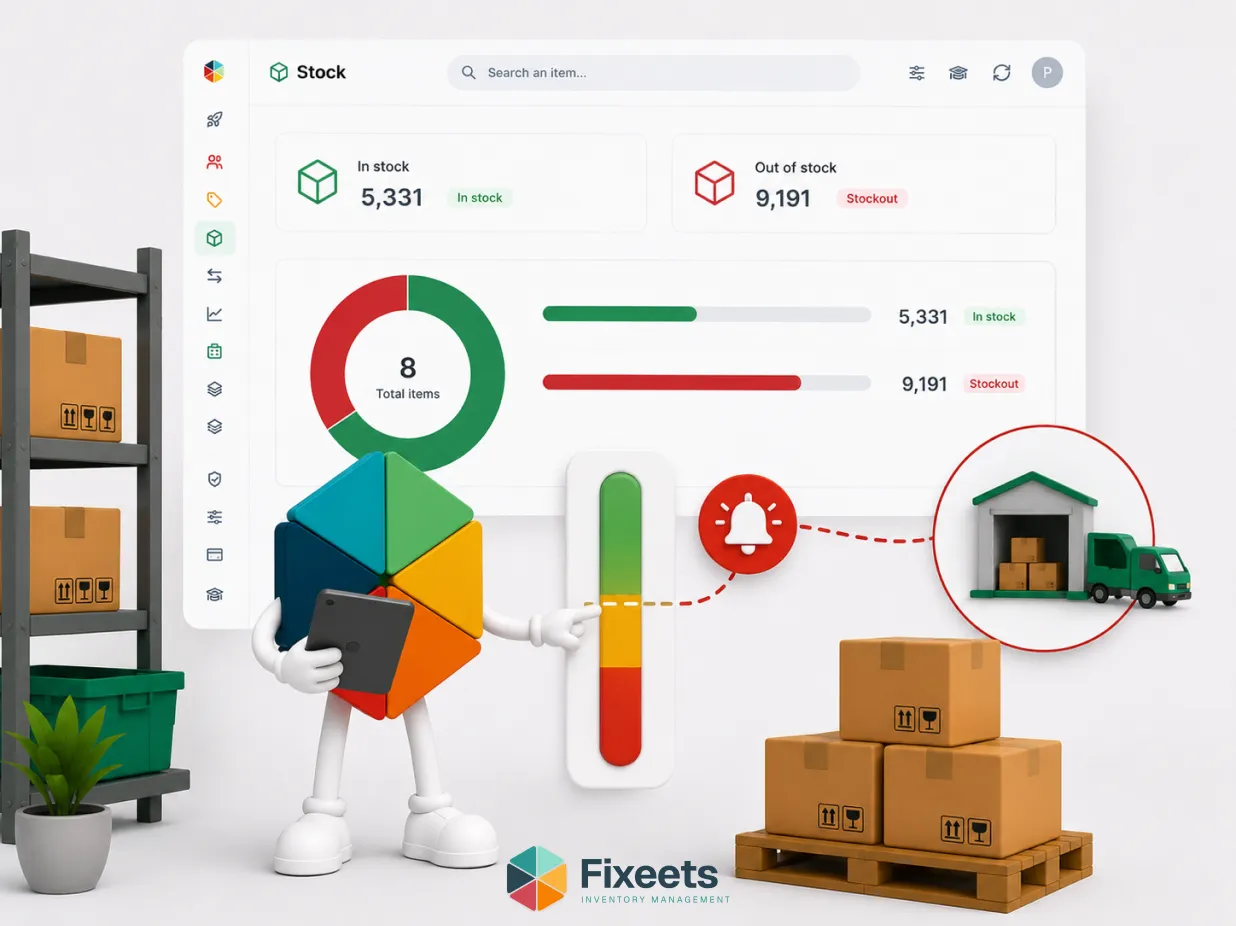
Fixeets lets you define a minimum stock threshold per SKU. When on-hand quantity drops to or below that threshold, the item is flagged automatically with a low-stock alert.
That threshold is your reorder point in practice. The formula gives you the right number to enter. Fixeets monitors the actual stock level against it and fires the alert without requiring a manual check.
This removes the most common failure mode in spreadsheet-based inventory: the team only discovers a SKU is low when someone physically notices the shelf is almost empty.
To see how stock thresholds and alerts work inside Fixeets, visit the Fixeets inventory management page.
Reorder Points and Stockout Prevention
A correctly set reorder point is the primary defence against stockouts. Most stockouts in small operations are not caused by unpredictable demand spikes. They are caused by reorder points that were never set, set too low, or never updated.
The article on retail inventory management and stockout prevention covers how reorder timing connects to supplier lead time management and safety stock for retail and e-commerce operations specifically.
Reorder Points and Inventory Turnover
Setting reorder points too high - either through excessive safety stock or overstated demand estimates - contributes to overstock, which depresses inventory turnover ratio. Getting the calculation right is one of the practical levers for improving how efficiently stock moves through your operation.
For a closer look at how turnover ratio connects to purchasing decisions, the article on inventory turnover ratio covers the formula and how to use it alongside reorder point management.
Key Takeaways
- A reorder point is the stock level that triggers a new order, calculated as average daily usage multiplied by lead time in days, plus safety stock.
- Safety stock absorbs variability in demand and supplier delivery time. Size it based on the gap between maximum and average daily usage during the lead time window.
- Apply the formula per SKU, not as a blanket rule. A-class items need precise calculation; C-class items can use a simple minimum threshold.
- Common failure points: outdated demand data, ignored lead time variability, and reorder points that are never updated as the business changes.
- In Fixeets, the minimum stock threshold per SKU is your reorder point. When stock hits that level, the low-stock alert fires automatically.
Frequently Asked Questions
What is a reorder point? A reorder point is a predefined stock level that triggers a replenishment order for a specific item. When on-hand quantity reaches or falls below that level, it is time to reorder. It is calculated based on average daily usage, supplier lead time, and a safety stock buffer.
What is the reorder point formula? Reorder Point = (Average Daily Usage x Lead Time in Days) + Safety Stock. Each input should reflect current demand patterns and actual supplier lead times, not historical averages that no longer apply.
How do I calculate average daily usage? Divide total units sold or consumed over a recent period by the number of days in that period. Use a period that reflects your current volume. For seasonal products, calculate separate reorder points for peak and off-peak demand.
What is safety stock and how much should I hold? Safety stock is a buffer quantity held to absorb demand spikes and supplier delays. A practical formula: (Maximum Daily Usage - Average Daily Usage) x Lead Time. For stable demand and reliable suppliers, one to two weeks of average usage is a reasonable starting point.
How often should I update reorder points? Review A-class items quarterly or when demand patterns change significantly. B-class items annually. C-class items can be reviewed when something noticeably changes. Never set a reorder point and leave it unchanged indefinitely.
What is the difference between reorder point and minimum stock? Minimum stock (safety stock) is the buffer you want to always keep on hand. Reorder point is the trigger level that accounts for safety stock plus the stock you will consume during the lead time window. The reorder point is always equal to or higher than your safety stock.
Can I set different reorder points for different locations? Yes, and you should. Each location has its own usage rate and may use different suppliers with different lead times. A single blended reorder point across locations will be wrong for at least one of them.
How does Fixeets handle reorder points? Fixeets lets you set a minimum stock threshold per SKU. When on-hand quantity drops to that level, a low-stock alert fires automatically. You define the threshold using the reorder point formula; Fixeets monitors stock levels and triggers the alert without requiring a manual check.
What happens if I set my reorder point too low? You will not get the alert until you are already dangerously close to zero. By the time the supplier delivers, you may have run out. A reorder point that only accounts for safety stock but not lead time consumption is effectively a stockout warning, not a reorder trigger.
What happens if I set my reorder point too high? You will reorder before you need to, which means new stock arrives while old stock is still in significant quantity. This increases average inventory levels, ties up cash, and reduces inventory turnover ratio over time.