Every business that sells something has to answer the same operational question: what happens between a customer placing an order and that order actually arriving? The answer to that question, done well, is order management. Done poorly, it is missed orders, oversold stock, and invoices that never quite match what was actually shipped.
What Is Order Management?
Order management is the process of capturing, tracking, and fulfilling customer orders from the moment they are placed until the moment they are delivered and invoiced. It covers order creation, inventory allocation, status tracking, shipping, invoicing, and any post-sale activity such as returns or adjustments.
For small businesses, order management often starts as an informal set of habits: a notebook, an inbox, a spreadsheet. As order volume grows, the same information needs a structure that can be tracked, searched, and trusted by more than one person.
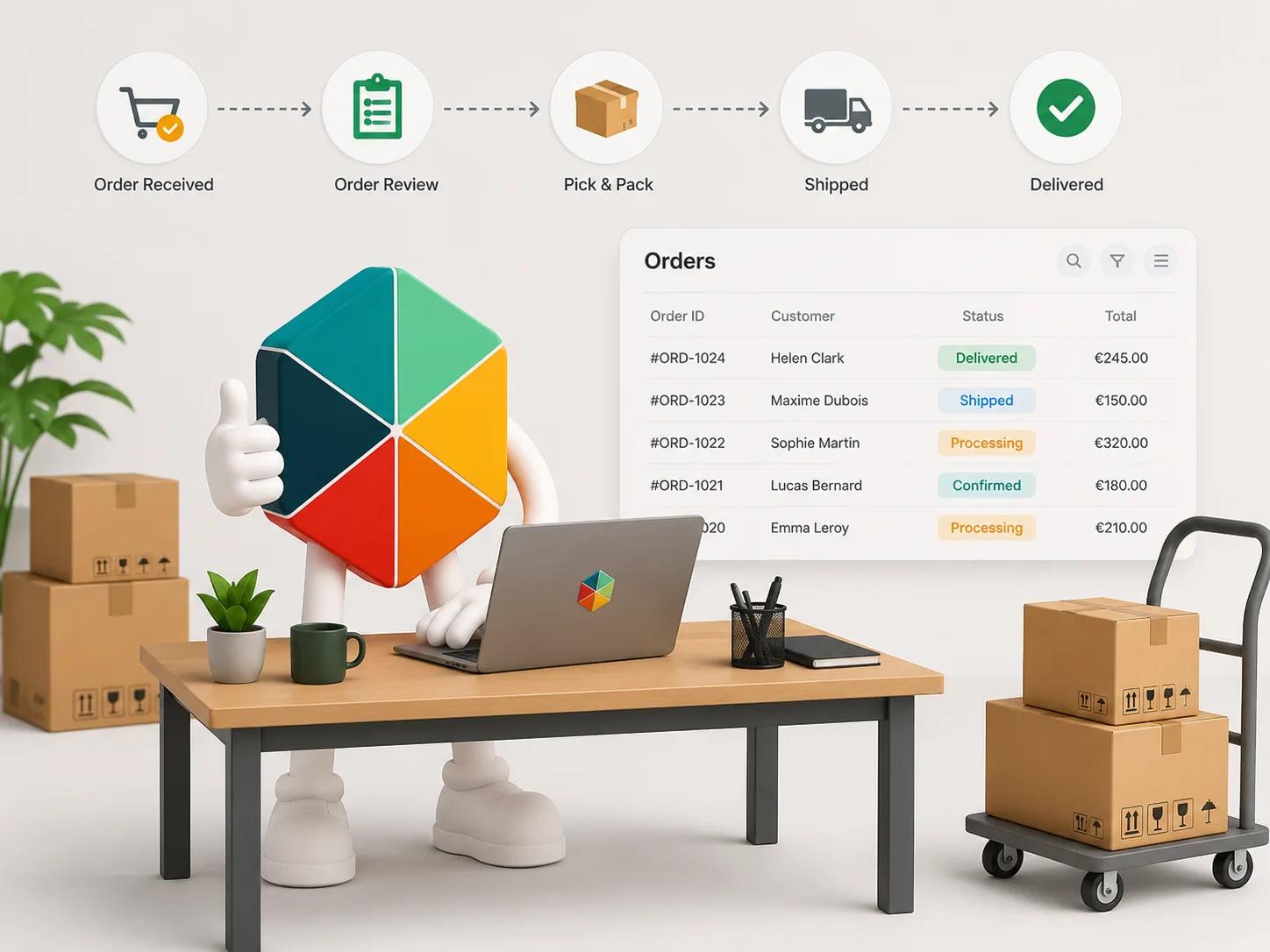
The Order Management Process, Step by Step
1. Order capture
An order is placed, whether through a website, a marketplace, a phone call, or in person. At this stage, the essential details need to be recorded accurately: what was ordered, by whom, in what quantity, and any specific requirements.
2. Order confirmation
The order is checked against available stock and confirmed to the customer. This step is where stockouts become visible if inventory data is not accurate or current. A confirmed order that cannot actually be fulfilled creates the exact problem order management is meant to prevent.
3. Fulfillment
The order is picked, packed, and prepared for shipping or pickup. For service or made-to-order businesses, this stage is production or scheduling rather than picking from stock.
4. Shipping and delivery
The order is dispatched, with tracking information recorded where applicable. Shipping method, cost, and delivery timeline are typically set at this stage.
5. Invoicing
An invoice is generated and sent, reflecting what was actually ordered, any adjustments made during fulfillment, and applicable tax such as VAT.
6. Post-sale
Returns, exchanges, or adjustments are handled, and the order record is updated to reflect the final outcome. This stage is often the weakest point in informal systems, since post-sale changes are easy to lose track of once the original order is marked "done."
Why Order Management Matters for Small Businesses
The operational cost of poor order management rarely shows up as one dramatic failure. It shows up as small, repeated frictions: a customer asking where their order is because status was never updated, a duplicate order because two people processed the same request, an invoice that does not match what was actually shipped.
At low volume, these frictions are annoying but manageable. As order volume grows, especially across more than one sales channel, they compound. The business ends up spending more time reconciling what happened than actually processing new orders.
Common Order Management Methods
Manual tracking (notebook, inbox, or memory)
Works only at very low volume, typically a handful of orders per week, with a single person handling everything. Breaks down almost immediately once a second person is involved or volume increases.
Spreadsheet-based tracking
The most common method for small businesses once manual tracking stops being reliable. A structured spreadsheet, usually in Google Sheets or Excel, can track order details, status, and basic reporting. This is a genuinely workable approach with the right structure and the right tool layer, which Fixeets order management is built for.
Dedicated order management software
Standalone platforms built specifically for order management, often bundled with shipping or inventory features. These offer more automation but usually mean leaving the tools a team already knows, and often come with per-user or per-order pricing that scales with volume.
Google Sheets with structured order management on top
A middle path that keeps the familiar spreadsheet interface while adding the structure, alerts, and connected data that raw spreadsheets lack. This is where Fixeets Orders Management sits.
How to Track Orders: What the System Needs to Capture
Regardless of method, a functional order tracking system needs a consistent set of fields:
Order ID. A unique reference for every order, used across every other record tied to it.
Customer details. Name, contact information, and delivery address at minimum.
Order items and quantities. What was ordered, and how much of each item.
Order date. When the order was placed.
Status. Where the order currently stands: pending, confirmed, fulfilled, shipped, delivered, or cancelled.
Shipping details. Method, cost, and tracking reference where applicable.
Invoice reference. Linking the order to its corresponding invoice, including tax treatment such as VAT where relevant.
Notes. Any special instructions or exceptions tied to the specific order.
Consistency in these fields, more than the number of fields tracked, is what makes an order tracking system usable for reporting and for spotting problems before they become customer complaints.
Common Order Tracking Problems in Small Businesses
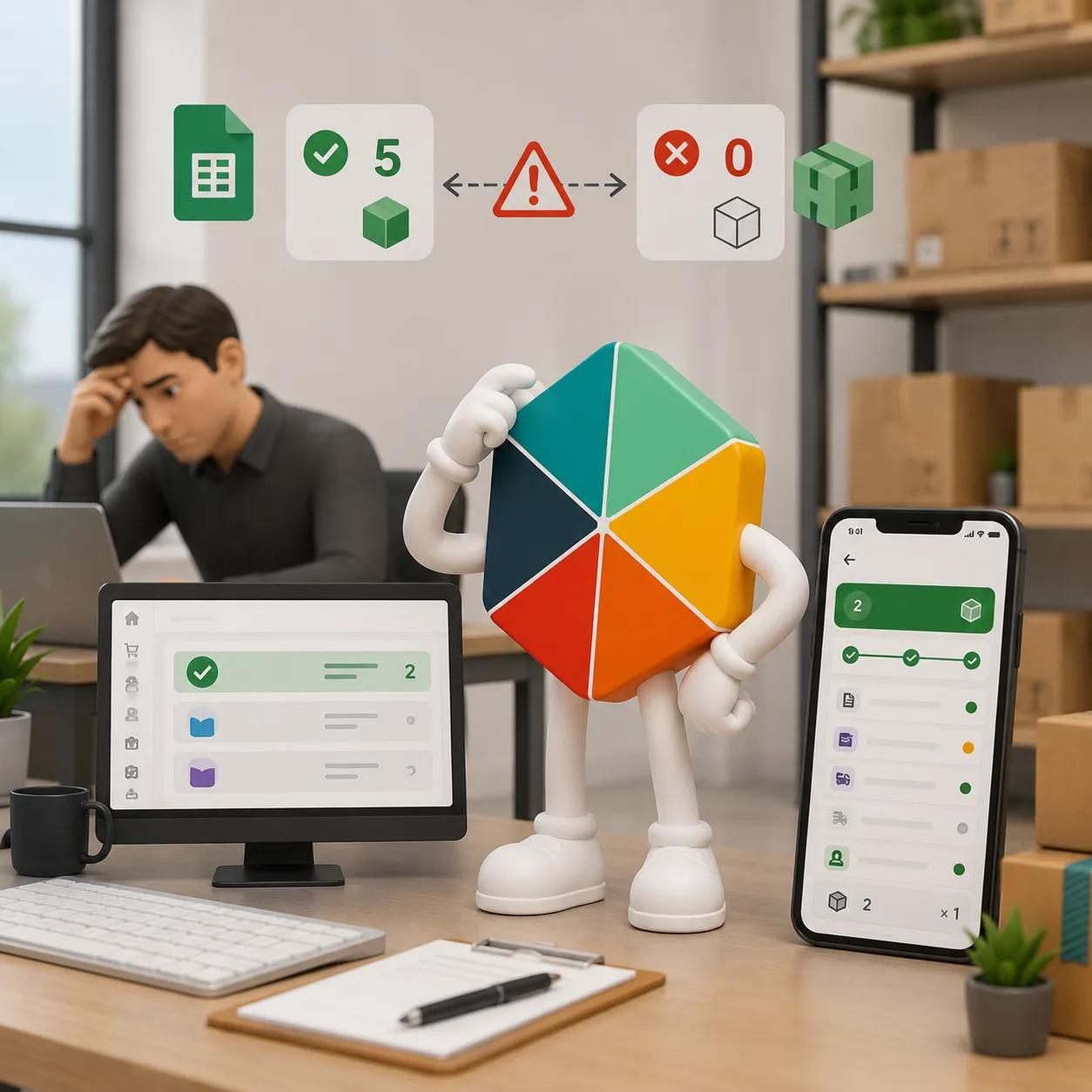
Orders and inventory falling out of sync. When order records and stock records live in separate places, or are updated at different times, the result is overselling: confirming an order for stock that is not actually available.
Double data entry. Copying order information from one system into another, whether from a sales channel into a spreadsheet or from one spreadsheet into another, introduces errors and consumes time that scales badly with volume.
No single source of truth for order status. If status is tracked inconsistently, or in more than one place, different people on the team can have different answers to "where is this order."
Manual invoicing errors. Calculating VAT, totals, and adjustments by hand for every order is slow and error-prone, particularly once order volume or tax complexity increases.
Order Management and Inventory Management Are Related, Not the Same
Order management and inventory management are closely connected but answer different questions. Inventory management tracks what stock you have and where it is. Order management tracks what customers have requested and where each request stands.
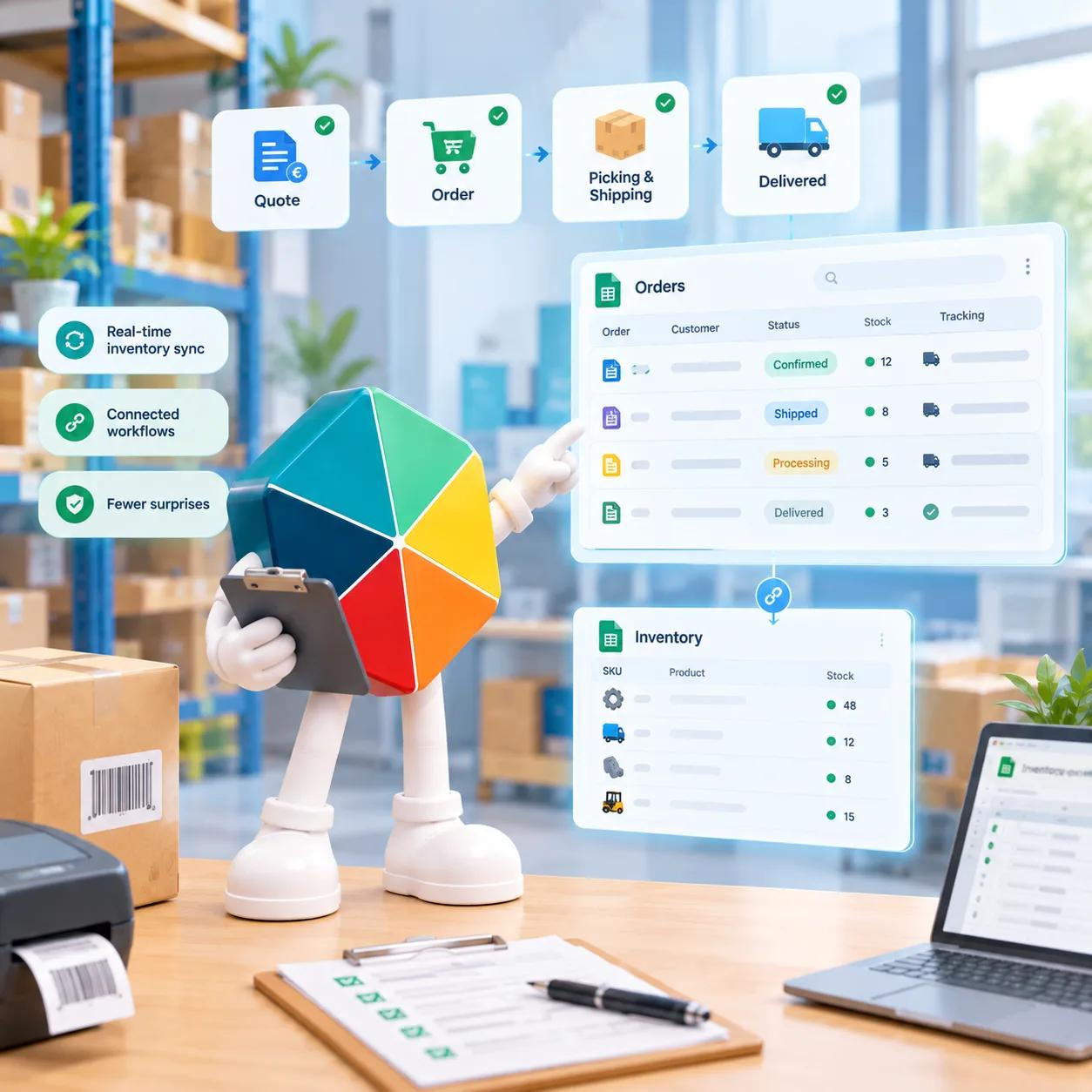
The two systems need to talk to each other. An order should be confirmed against real inventory, and a shipped order should reduce inventory accordingly. When these two systems are disconnected, whether because they live in separate spreadsheets or separate tools entirely, the gap between them is where stockouts and overselling happen.
Order Management Inside Fixeets
Fixeets Orders Management runs as a Google Sheets extension with a companion web app, alongside the existing Inventory and Maintenance modules. It covers order creation, tracking, status, customer data management, invoicing, shipping options, VAT adjustments, and analysis and reporting.
The module can be linked to Fixeets Inventory Management, with both modules updating in real time. When an order affecting stock is processed, inventory reflects it without a separate manual update. This closes the most common gap described above: orders and inventory data drifting apart because they live in disconnected places.
Mobile apps for Orders Management are in development and not yet live. The Google Sheets extension and web app are available now.
To see how order tracking, invoicing, and inventory linking work together, visit the Fixeets order management page.
Key Takeaways
- Order management is the process of capturing, tracking, and fulfilling customer orders from placement through delivery and invoicing.
- The process has six stages: capture, confirmation, fulfillment, shipping, invoicing, and post-sale handling. Post-sale is the stage most commonly lost in informal systems.
- Manual tracking works only at very low volume. Spreadsheet-based tracking is the common next step for small businesses, and a structured spreadsheet system can genuinely work well with the right fields and discipline.
- A functional order tracking system needs consistent fields: order ID, customer details, items, date, status, shipping, invoice reference, and notes.
- The most common order tracking failures are orders and inventory falling out of sync, double data entry, inconsistent status tracking, and manual invoicing errors.
- Order management and inventory management are related but distinct. The connection between them, not just either system alone, is what prevents stockouts and overselling.
Frequently Asked Questions
What is order management? Order management is the process of capturing, tracking, and fulfilling customer orders from the moment they are placed until they are delivered and invoiced. It includes order creation, inventory allocation, status tracking, shipping, invoicing, and handling any post-sale changes.
What are the steps in the order management process? The typical stages are: order capture, order confirmation, fulfillment, shipping and delivery, invoicing, and post-sale handling such as returns or adjustments.
What is the difference between order management and inventory management? Inventory management tracks what stock a business has and where it is located. Order management tracks customer requests and their fulfillment status. The two need to be connected, since confirming and fulfilling orders depends on accurate inventory data.
Can I manage orders in Google Sheets? Yes, for many small businesses a well-structured Google Sheets system is a genuinely workable approach. It requires consistent fields (order ID, customer, items, status, shipping, invoice reference) and discipline in keeping the sheet updated. The main limitations appear as volume grows: no automatic alerts, no built-in connection to inventory, and a higher risk of manual entry errors.
What causes orders and inventory to fall out of sync? Usually a structural gap: order records and inventory records are kept in separate places or updated by different people at different times. Without a direct connection between the two, a confirmed order can outpace actual available stock, leading to overselling.
What fields should an order tracking system include? At minimum: order ID, customer details, items and quantities ordered, order date, status, shipping details, invoice reference, and any relevant notes. Consistency in how these are filled matters more than the number of fields tracked.
How is order management different from an ERP system? An ERP system typically covers order management as one module among many, alongside accounting, HR, procurement, and other business functions. Standalone order management tools or modules focus specifically on the order lifecycle without the broader scope, cost, and implementation complexity of a full ERP.
Does Fixeets Orders Management require leaving Google Sheets? No. Fixeets Orders Management runs as an extension inside Google Sheets, with a companion web app. It adds structure to order tracking, invoicing, and status management without requiring a migration to a separate platform.
Can Fixeets connect orders to inventory automatically? Yes. Fixeets Orders Management can be linked to Fixeets Inventory Management, with both modules updating in real time. This means fulfilling an order that affects stock updates inventory without a separate manual step.
Is Fixeets Orders Management available on mobile? The Google Sheets extension and web app are live now. Mobile apps for iOS and Android are in development and not yet available.