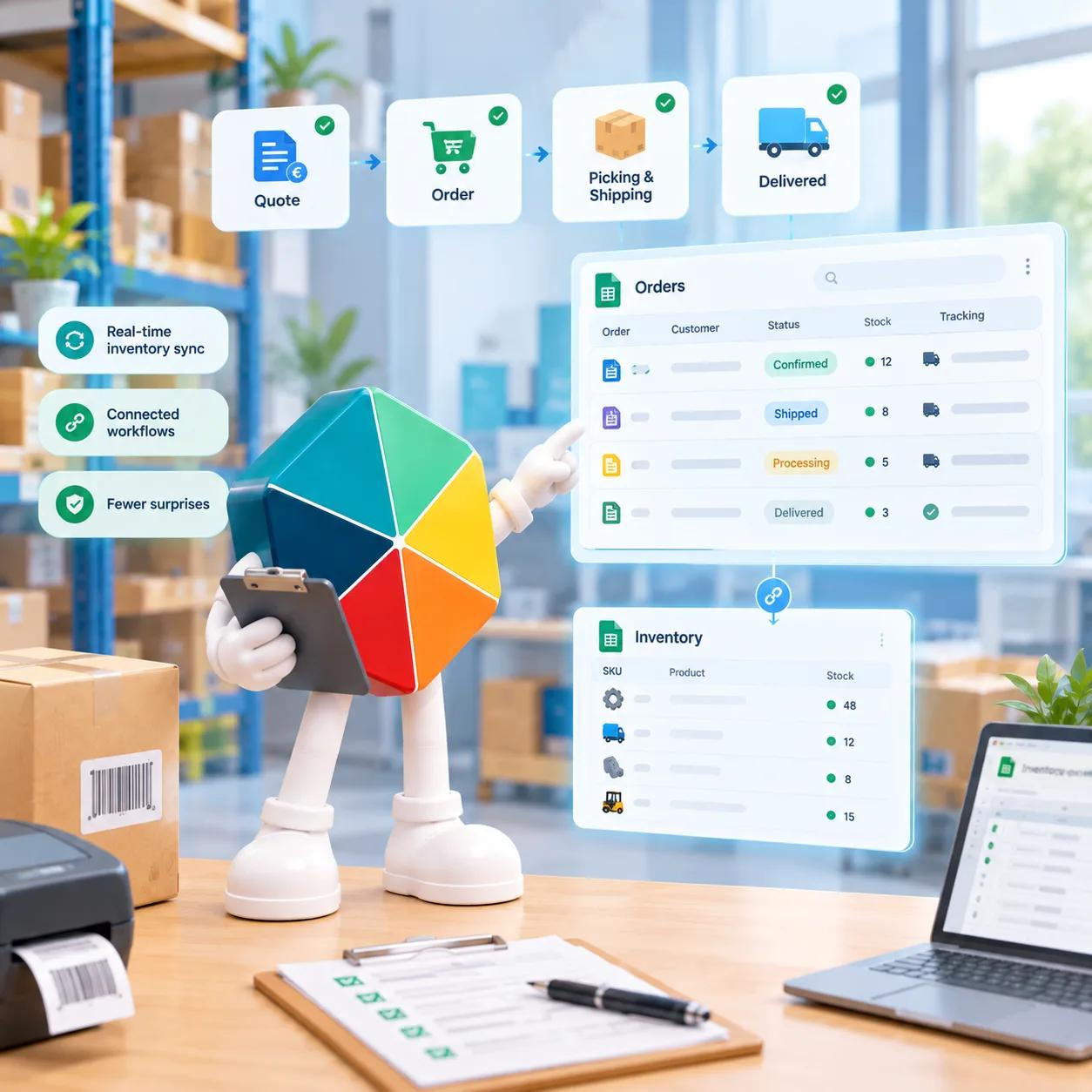
Tracking orders in Google Sheets means logging each customer order with its status, from quote through preparation, shipping, and delivery, alongside the customer, products ordered, and carrier details. A single sheet can hold this for a small volume of orders, but it needs real structure: defined stages, a live link to stock, and consistent order and invoice numbering, or it starts producing the exact problems it was meant to prevent.
Why a Plain Order List Breaks Down
Most teams start the same way: a spreadsheet with a row per order, a customer name, a product, and a status typed in free text. It works for the first few weeks. Then a few things start going wrong at once.
Statuses drift. One row says "shipped," another says "sent," a third just says "done," and now nobody can filter reliably on where an order actually stands. Stock and orders stop talking to each other, so a product gets sold that's already out, and nobody notices until the customer asks where it is. Invoice numbers get duplicated or skipped because nothing is generating them consistently. And the moment more than one person is entering orders, small formatting differences compound into a sheet nobody fully trusts anymore.
None of this means the team is disorganized. It means the sheet is missing structure that a plain list was never built to provide.
What Order Tracking Actually Needs
A working order-tracking sheet needs a few consistent building blocks, whether it's built from scratch or with structure layered on top:
- Customers: a separate reference so each order links to one customer record instead of retyping the same name and details every time
- Products: a catalog the order pulls from, so pricing and product names stay consistent order to order
- Order stages: a fixed, small set of statuses, not free text, so filtering and reporting actually work
- Carriers: who's shipping the order, tracked consistently enough to answer "where is this" without digging
- Order and invoice numbers: generated in a consistent format, not typed manually per row
Get these five right and the sheet holds up even as order volume grows. Skip any of them and the sheet degrades the same way a plain list always does.
The Order Lifecycle: Quote to Delivered
Every order moves through a small number of real stages, and tracking them consistently is what makes the sheet useful for anything beyond a historical record:
- Quote: the order exists but hasn't been confirmed yet
- In preparation: confirmed and being assembled or produced
- Shipped: handed off to a carrier
- Delivered: confirmed received by the customer
Four stages, consistently applied, tell you everything: what's still open, what's about to ship, and what's sitting in preparation longer than it should. The moment stages become free text instead of a fixed list, that visibility disappears, because a filter or a count can't reliably work on inconsistent wording.
For the full breakdown of what order management covers end to end, What Is Order Management? Process, Methods and Tracking walks through the process beyond just the sheet structure.
Connecting Orders to Inventory in Real Time
This is where most spreadsheet-based order tracking quietly fails. An order sheet and a stock sheet that don't talk to each other will eventually let someone sell a product that isn't actually available, because nothing updates stock automatically when an order gets placed.
The fix isn't a manual reconciliation step at the end of the day. It's linking the two directly, so adding a product to an order updates the linked stock count in real time, not on a delayed sync or a nightly batch job. That's the actual mechanism behind preventing overselling, not a forecasting model or a buffer stock rule, just orders and stock reading from the same live number.
How to Stop Overselling When Orders and Inventory Don't Match covers exactly why this sync gap happens and what breaks when orders and inventory are tracked as two separate, unconnected sheets.
Invoicing and Order Numbers
Once orders are flowing through defined stages, the next failure point is numbering. Order numbers and invoice numbers need a format that's generated automatically and never repeats, along with a couple of settings that stay consistent across every order rather than being decided row by row:
- A defined order number format
- A defined invoice number format, separate from the order number
- A default VAT percentage, applied consistently rather than typed per line
- Whether shipping is enabled for a given order, and what that adds to the total
Get these settings fixed once, and every order that follows inherits them automatically instead of depending on whoever's entering data that day to remember the rules.
Sharing and Permissions
The moment more than one person touches the order sheet, access control stops being optional. Sales needs to create orders. Someone in fulfillment needs to update status without touching pricing. Whoever handles invoicing needs visibility into totals and VAT without necessarily needing edit access to the customer list.
A single shared spreadsheet with no permission layer means everyone has the same access to everything, which is usually fine for two people and a real risk once a team grows past that.
When a Plain Spreadsheet Isn't Enough Anymore
A well-structured Google Sheet can carry a small team a long way. The point where it stops working isn't about order volume alone, it's about how many of the building blocks above have started drifting: statuses becoming inconsistent, numbering breaking, stock and orders no longer matching.
Fixeets Order Management builds this structure directly into Google Sheets rather than replacing it: Customers, Products, and Orders through the four real stages, Carriers, Analysis, Sharing and permissions, and an Options panel covering order and invoice number formats, default VAT, and whether shipping applies. It links to the Fixeets Inventory module so stock updates the moment a product is added to an order, the same real-time link covered above. Pricing follows the same structure as Inventory, and it starts free.
To be direct about current scope: there's no barcode scanning in Order Management yet, and mobile apps for iOS and Android are still in progress, not live. If the team's workflow depends on either of those today, that's worth knowing before switching anything over.
See the full module on the Order Management page, or check pricing directly.
Key Takeaways
- A plain order list breaks down once statuses drift, stock and orders fall out of sync, and invoice numbers stop being reliable
- Five building blocks keep an order sheet working at scale: Customers, Products, fixed order stages, Carriers, and consistent order/invoice numbering
- Orders move through four real stages: quote, in preparation, shipped, delivered
- Linking orders directly to inventory in real time, not batch syncing, is what actually prevents overselling
- Sharing and permissions matter the moment more than one person touches the sheet
- Fixeets Order Management adds this structure inside Google Sheets, with real-time inventory linking, and currently no barcode scanning or live mobile app
FAQ
Can Google Sheets track customer orders on its own? Yes, for low order volume with one person managing it. It needs real structure, defined stages, a customer and product reference, and consistent numbering, or it degrades quickly as volume or team size grows.
What fields does an order-tracking sheet need at minimum? A customer reference, a product reference, a fixed set of order stages, a carrier field, and an order number generated consistently rather than typed manually.
What are the actual stages an order should move through? Quote, in preparation, shipped, and delivered. Keeping this list fixed and small is what makes filtering and reporting on order status actually work.
Why does overselling happen even with an order tracking sheet in place? Because the order sheet and the stock sheet aren't connected. Without a real-time link, stock only updates when someone remembers to reconcile it manually, and orders can be placed against stock that's already gone.
Does linking orders to inventory require warehouse or multi-location setup? No. The real-time stock link works at the product level. Multi-location or warehouse-specific stock mapping is a separate, more advanced setup, not a requirement for basic order-to-inventory syncing.
Is barcode scanning available for order tracking in Fixeets? Not currently. Order Management doesn't include barcode scanning at this time.
Can I manage orders from a mobile app? Not yet. Fixeets Order Management currently runs as a Google Sheets extension and web app, with iOS and Android apps still in development.
How is Order Management priced compared to Inventory? It follows the same pricing structure as Fixeets Inventory Management, with a free tier to start.