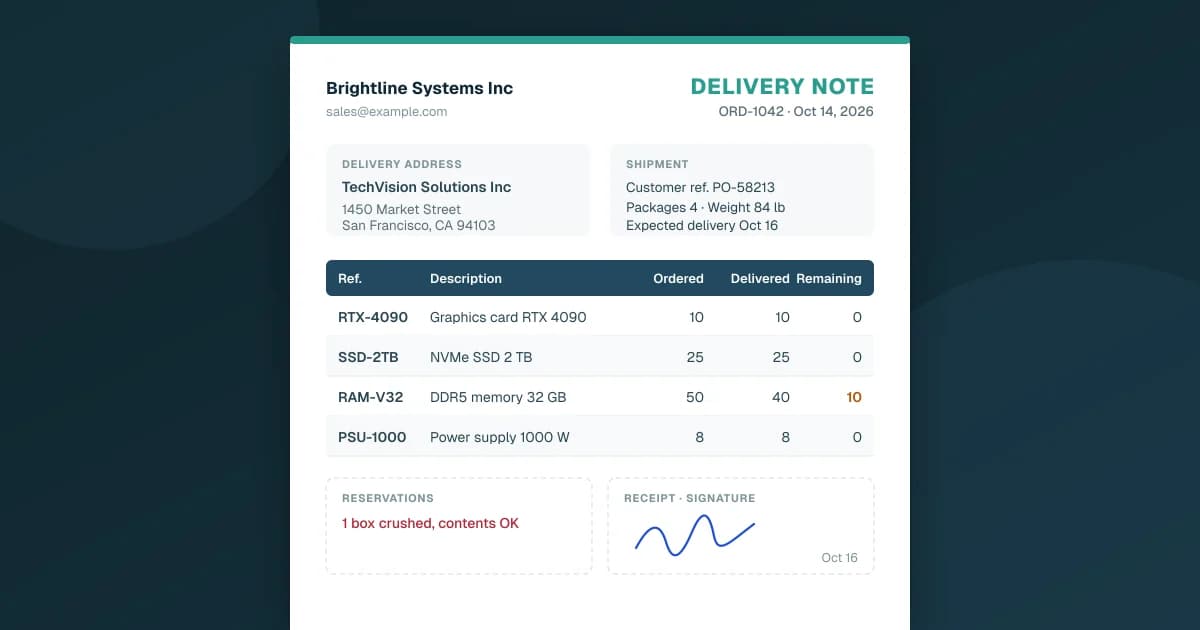
A delivery note is the document that travels with the goods. It lists what was shipped, to whom and in what quantity, and the person who receives the delivery signs it. It usually carries no prices. Its job is to prove what physically arrived, not to ask for payment: that's the invoice's job.
For a small business that ships orders, the delivery note is often the one document nobody thinks about until a customer says "we only got four boxes." Here is what to put on it, how it differs from the invoice, and what to do at the moment of delivery.
What a Delivery Note Is For
A delivery note does three things:
- It tells the receiver what to expect. They can check the boxes against the list before signing.
- It records what was actually delivered. If 50 units were ordered and 40 shipped, the note says 40, and the other 10 are still to come.
- It's proof of delivery once signed. A signature, a name and a date on the delivery note settle most "we never received it" conversations.
In the US, the closest everyday term is the packing slip. The two overlap, but a packing slip usually sits inside the box as a contents list, while a delivery note is meant to be checked and signed when the goods change hands. Many small businesses use one document for both.
What to Put on a Delivery Note
There is no single format, but a useful delivery note answers who, what, how many and how it traveled:
- Seller: your company name and contact details.
- Customer and delivery address: the delivery address can differ from the billing address, for example a job site or a second warehouse.
- Delivery note number and date.
- Order number and the customer's own reference (their purchase order number), so their receiving team can match it.
- Items: your reference, a description, the quantity ordered and the quantity delivered on this shipment. If the delivery is partial, show what remains to be delivered.
- Packages and weight: the number of boxes or pallets and the weight, which is what the receiver and the carrier check first.
- Carrier and tracking number, if a carrier is involved, and the delivery terms you agreed on.
- A space for remarks: where the receiver writes down damage or missing items.
- Receipt and signature: name, date and signature of the person who received the goods.
And what to leave off: prices. A delivery note is read by drivers, warehouse staff and receptionists. They need to count boxes, not see your margins.
Delivery Note vs Invoice vs Packing Slip
Three documents, three roles:
| Delivery note | Invoice | Packing slip | |
|---|---|---|---|
| Purpose | Proves what was delivered | Asks for payment | Lists what's in the box |
| Prices | Usually none | Yes, with taxes and totals | Usually none |
| When | With the goods, at delivery | When the sale is billed | Packed with the goods |
| Signed | Yes, by the receiver | No | No |
| Used by | Carrier, receiver, your warehouse | Customer's accounts payable, your accounting | Whoever unpacks the box |
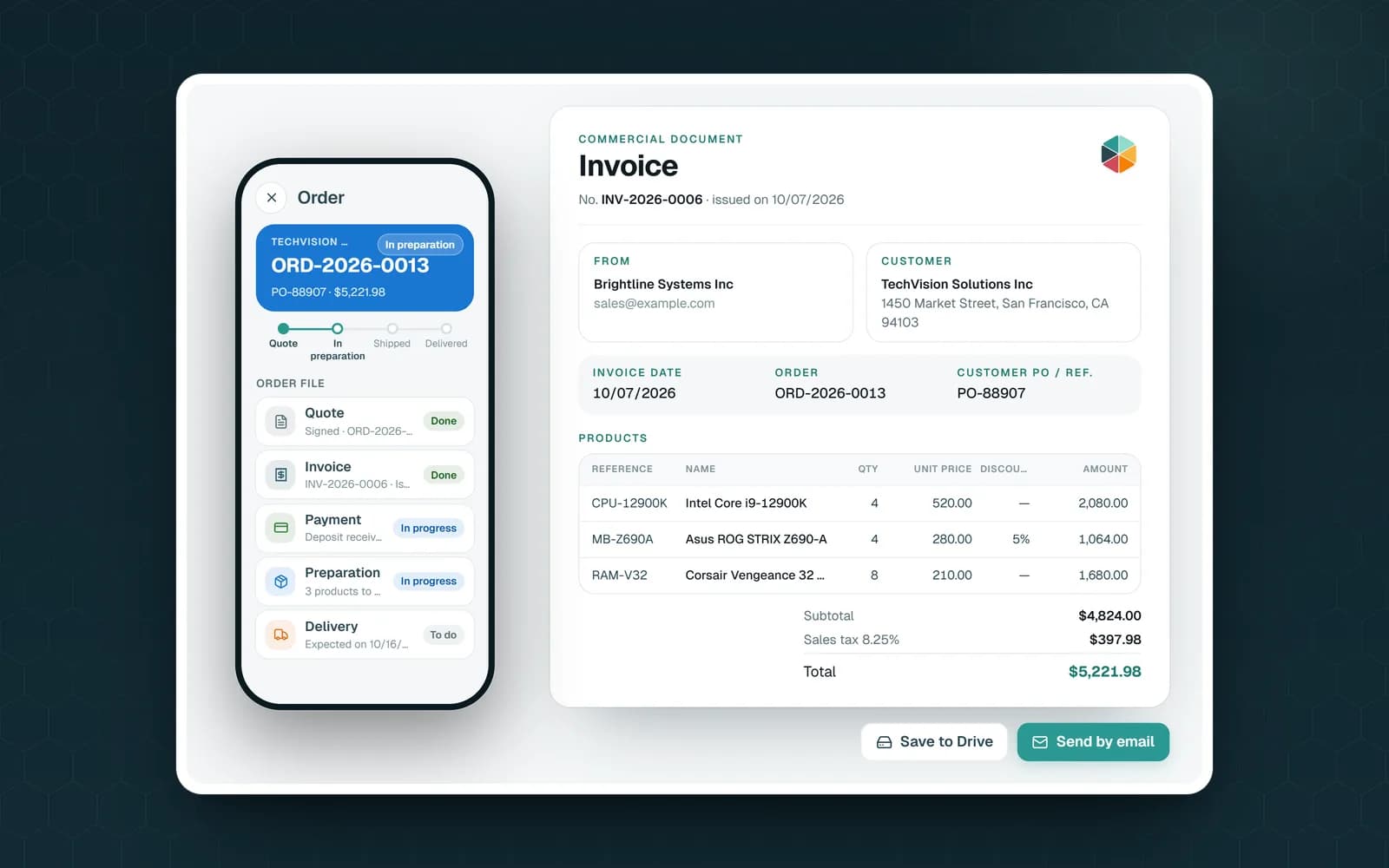
The practical rule: the delivery note and the invoice should agree on quantities. If the delivery was partial, invoice what was delivered, or make sure the customer knows what the invoice covers. Most billing disputes in small businesses start with an invoice for 50 when the signed delivery note says 40.
The invoice itself has its own rules on numbering and mentions, which depend on where you sell. The delivery note doesn't replace it.
Noting Problems at Delivery
The signature on a delivery note means "I received this." So the time to raise a problem is before signing, or on the note itself.
Good practice when receiving goods:
- Count the packages against the number on the delivery note before the driver leaves.
- Look for visible damage: crushed boxes, torn wrapping, wet pallets.
- Write precise remarks on the delivery note: "2 boxes crushed, 1 pallet missing," not a vague "subject to inspection."
- Confirm in writing to the carrier afterwards, within the time limit that applies to you. That limit depends on your country, your carrier and your contract, so check it once and add it to the note's standard text.
If you're the seller, a short line on your delivery note reminding the receiver to note any reservations on delivery saves you from disputes that start a week later.
From Order to Delivery Note in Google Sheets With Fixeets Orders
Retyping the order into a delivery note template is where quantities and references go wrong. The note should come from the order itself.
In Fixeets Order Management, customers, products and orders live in a Google Sheet in your Drive. From an order's page, you create the delivery note as a PDF: no prices, meant for the carrier and the receiver. It shows the delivery address, the item references, the quantity ordered, the quantity delivered and what remains, the weight and the number of packages, a space for reservations and a receipt signature. Its standard notices say that the note has no commercial value and doesn't serve as an invoice, and that any reservation must be written on the note at delivery and confirmed to the carrier in writing. You can edit those notices and add your logo. The PDF is saved in your Google Drive, next to the order's quote and invoice.
When shipping is turned on in Options, you then send the order for delivery with the date, the delivery method (a carrier or your own delivery) and the tracking number, and record the delivery when it arrives. If some items didn't arrive, you uncheck them and the delivery is recorded as partial. Carriers can have a rate card, so shipping costs are worked out for each order. If you also use Fixeets Inventory, the app offers to take the shipped quantities out of stock, which is the link explained in how to stop overselling when orders and inventory don't match.
For the full order flow in a spreadsheet, from quote to delivered, see how to track orders in Google Sheets, and for the bigger picture, what order management is. Plans are on the pricing page.
Key Takeaways
- A delivery note travels with the goods and proves what was delivered once the receiver signs it
- It lists the seller, customer, delivery address, order and customer references, items with quantities ordered and delivered, packages, weight and carrier
- It usually carries no prices; the invoice is the document that asks for payment
- In the US, a packing slip is a close cousin, but it's a contents list rather than a signed receipt
- Delivery note and invoice should agree on quantities, especially after a partial delivery
- Problems are written on the delivery note at delivery, then confirmed to the carrier within the time limit that applies to you
- Fixeets Orders creates the delivery note as a PDF from the order, without prices, saved in your Google Drive
FAQ
What is a delivery note? A document that accompanies a shipment and lists the goods delivered and their quantities. The receiver signs it on delivery, which makes it proof of what arrived.
Is a delivery note the same as an invoice? No. The delivery note proves delivery and usually has no prices. The invoice asks for payment and carries prices, taxes and totals. They should agree on quantities.
Should a delivery note show prices? Usually not. It's handled by drivers and receiving staff who only need to check what arrived. Prices belong on the quote and the invoice.
What is the difference between a delivery note and a packing slip? A packing slip lists what's in a package and usually stays inside it. A delivery note is checked and signed when the goods are handed over. Many small businesses use one document for both roles.
What should I do if goods arrive damaged? Write precise remarks on the delivery note before signing, such as the number of damaged or missing packages, then confirm them to the carrier in writing within the time limit that applies to you.
Can Fixeets create delivery notes from Google Sheets orders? Yes. From an order in Fixeets Orders, you create a delivery note PDF without prices, which is saved in your Google Drive next to the quote and the invoice.