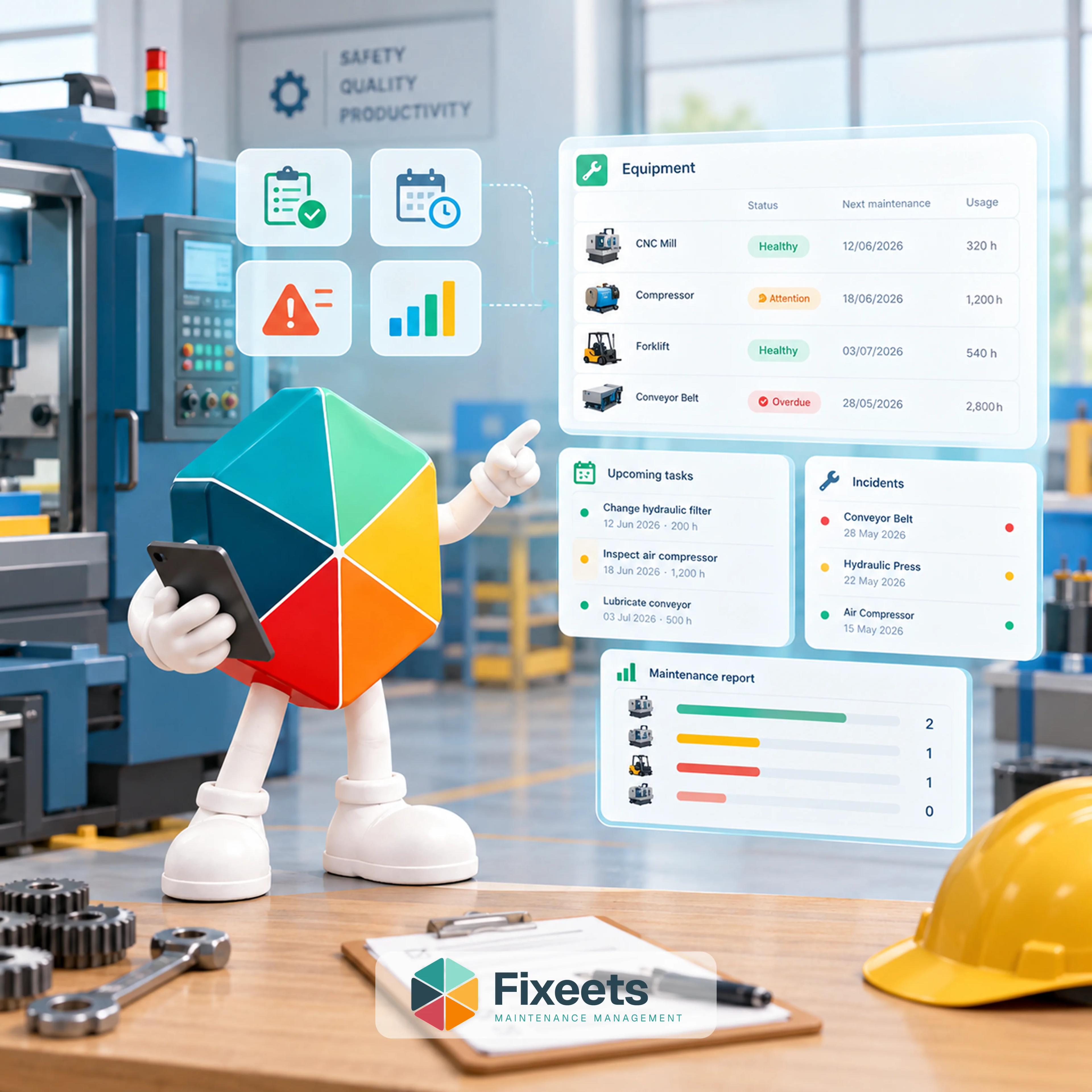
A CMMS (computerized maintenance management system) gives manufacturers a structured way to track equipment, schedule preventive maintenance, and log breakdowns before they turn into costly downtime. Small manufacturers need this structure just as much as large plants do. The difference is they usually can't justify the price tag that comes with most CMMS platforms, and that's where an affordable path matters.
Why Small Manufacturers Feel This First
A single machine going down for a day can stall an entire production run. There's no backup line to shift work to, no spare technician sitting on standby, and no buffer stock to absorb the delay. When maintenance lives in someone's memory or a notebook by the machine, the business is one sick day away from losing the one person who knows when that compressor was last serviced.
The usual signs a shop has outgrown informal tracking:
- Breakdowns that could have been caught with a scheduled check
- No record of what was replaced on a machine last time, so technicians re-diagnose from scratch
- Preventive maintenance that exists on paper but doesn't actually happen on schedule
- Downtime that never gets measured, so nobody can show whether it's getting better or worse
None of this is a sign of a poorly run shop. It's what happens when maintenance has no system behind it, regardless of how skilled the team is.
What a CMMS Actually Solves
A CMMS isn't about adding software for the sake of it. It solves three specific problems:
Equipment history in one place. Instead of asking the one technician who remembers, the equipment record shows specifications, past repairs, and parts used, searchable by anyone on the team.
Maintenance that happens on schedule, not by memory. Preventive tasks trigger by date or by usage, so a machine gets serviced at the right interval instead of whenever someone happens to notice it's due.
A record of what breaks and why. Every incident logged means patterns become visible over time, which machine keeps failing, which part keeps wearing out early, and where the next investment should go.
We covered the full decision framework in CMMS Software for Small Business: Do You Need It?, including the four-signal test for whether a shop has actually outgrown manual tracking.
Why the Price Tag Stops Most Shops Before They Start
This is usually where the "yes, we need this" conversation ends. Full-featured CMMS platforms are typically priced per user per month, and once a shop adds a few technicians, a supervisor, and maybe a part-time maintenance coordinator, the monthly bill adds up fast, often before counting setup time, training, or the cost of migrating equipment records into a new system.
Most of what a small manufacturing shop needs from a CMMS is a fraction of what these platforms are built to handle. Multi-site permission structures, complex approval chains, integrations with enterprise ERP systems, none of that is the problem a 15-person shop is trying to solve. They need equipment history, a schedule that actually gets followed, and a place to log what broke. Paying for the rest is paying for complexity they'll never touch.
We compared the major platforms directly, with real pros and cons, in Best CMMS Software for Small Businesses in 2026.
The Affordable Way: Structure, Not a New System
The fix isn't skipping structure. It's building it somewhere the team already works. Fixeets Maintenance runs the same core CMMS functions directly inside Google Sheets:
- Equipment registry: specifications, maintenance history, and documents for each asset, all in one searchable place
- Preventive scheduling: recurring tasks triggered by date or by usage, such as mileage or engine hours, not just a calendar reminder someone has to remember to check
- Incident tracking: breakdowns and corrective work logged as they happen, with downtime and the technician responsible attached to each record
- Reports: intervention history by duration, parts used, and cost, so patterns are visible instead of buried in someone's head
There's no new interface for technicians to learn and no migration project to plan around. If the team already opens a spreadsheet to check the production schedule, they can open the same kind of sheet to log a repair. The learning curve most CMMS rollouts carry simply isn't there. Fixeets Maintenance starts free, with a paid tier for teams that need more.
For the setup itself, How to Build a Preventive Maintenance Schedule in Google Sheets walks through the structure that makes a schedule stick instead of quietly getting ignored after month one.
Where This Approach Has Limits
To be fair about it: a Sheets-based CMMS isn't the right fit for every shop. If you're running maintenance across a dozen sites with dedicated crews at each one, coordinating parts inventory across multiple warehouses, or need certified compliance reporting for regulated equipment, a full enterprise platform earns its price. The affordable path is built for the shop where one or two people own maintenance and the biggest risk is losing what they know, not for an operation that already has a dedicated maintenance department and the budget to match.
Somewhere in between sits the comparison worth reading before deciding either way: CMMS vs Spreadsheets: Which Makes Sense for Growing Teams?
What This Looks Like in Practice
A shop with five machines and two technicians doesn't need an enterprise rollout to fix this. They need:
- Every machine entered once, with its history attached
- Preventive tasks scheduled by date or usage, so nothing depends on someone remembering
- A place to log breakdowns the moment they happen, not from memory a week later
- A monthly look at what's breaking most, so the next equipment decision is based on data instead of a hunch
That's the entire structure. No enterprise contract, no per-seat pricing that scales against you as the team grows, and no six-week implementation before it's usable. See how the Equipment, Preventive, Incidents, and Reports modules fit together on the Fixeets Maintenance Management page, or check pricing directly.
For teams already tracking inventory the same way, CMMS on Google Sheets: Maintenance Tracking for Small Teams covers the field structure for work orders, schedules, and history logs in more depth, and Building a Maintenance History Log: Why It Matters breaks down what to do with the patterns once they're visible.
Key Takeaways
- Small manufacturers feel unplanned downtime harder than large plants because there's no backup line or spare technician to absorb it
- A CMMS solves three specific problems: equipment history, scheduled preventive maintenance, and a searchable incident record
- Per-user CMMS pricing adds up fast for a small team, and most enterprise features go unused at that scale
- Fixeets Maintenance delivers the same core structure, equipment registry, preventive scheduling, incident tracking, and reports, directly inside Google Sheets, with no new interface to learn
- Enterprise CMMS still makes sense for multi-site operations, complex parts inventory, or regulated compliance reporting
FAQ
Do small manufacturers actually need a CMMS, or is a spreadsheet enough? A plain spreadsheet can log repairs, but it doesn't trigger reminders or track patterns automatically. A CMMS, even a lightweight one, adds the structure that makes preventive maintenance actually happen on schedule instead of depending on someone remembering.
What's the difference between a CMMS and general maintenance management software? CMMS refers to the software category specifically: computerized systems for tracking equipment, scheduling maintenance, and logging work orders. Maintenance management is the broader discipline the software supports.
How much does enterprise CMMS software typically cost? Pricing is usually per user per month, and scales up with team size, plus separate costs for setup and training. For a shop with several technicians and supervisors, this adds up quickly, often well before the team touches most of the platform's features.
Can Google Sheets really replace a CMMS for a manufacturing shop? For a shop with one or two people owning maintenance and a handful of machines, yes, when the sheet has real structure behind it: an equipment registry, scheduled triggers, and an incident log, not just a running list.
What size shop should consider a full enterprise CMMS instead? Operations running maintenance across multiple sites, coordinating parts inventory across several locations, or needing certified compliance reporting for regulated equipment are usually better served by a full platform.
Does preventive maintenance scheduling work by more than just calendar dates? Yes. Tasks can trigger by date or by usage, such as mileage or engine hours, so a machine gets serviced based on how hard it's actually been running, not just how much time has passed.
What happens to equipment history when the one person who tracks it leaves? This is the core risk informal tracking creates. With a shared equipment record, that history stays with the business instead of walking out the door with one employee.
Is switching from paper or memory-based tracking to a CMMS disruptive? Setup takes time to enter existing equipment and history, but if the system runs inside a tool the team already uses, like Google Sheets, there's no new software to learn on top of the transition.