A party rental business doesn't rent out one excavator to one contractor. It rents 80 white folding chairs to a wedding, 60 to a graduation party and 50 to a company barbecue, all on the same Saturday, out of the same 200. The hard part isn't knowing what you own. It's knowing how many are still free on a given date, before you say yes to the next call.
That changes how inventory needs to be tracked. Here is what works for chairs, tables, tents and the rest of an event rental fleet, whether you run it in a spreadsheet or in a rental app.
Why Event Rental Is Different: Quantities, Not Single Items
In equipment rental, many items are unique: one mini excavator, one scissor lift. In event rental, almost everything is a quantity: 200 chairs, 25 round tables, 6 tents, 40 linens, 12 patio heaters. And the same pool serves several events at once.
That has three consequences:
- Availability is a number, not yes or no. "Are chairs free on Saturday?" is the wrong question. "How many chairs are free on Saturday?" is the right one.
- Peaks are sharp. Most of the year, half the stock sits on shelves. Then May and June Saturdays are full, and a single extra booking tips you over.
- Returns are rarely complete. 200 chairs go out, 196 come back on Monday, two more turn up on Wednesday, and two are broken.
Any tracking system that treats a chair like a unique item, or a booking like a yes/no flag, will get these wrong.
How Many Are Left for a Date?
The core habit: every booking records a quantity and a period, and you check what's left for that period before confirming.
Take 200 chairs on a Saturday in June. A wedding has 80, a graduation party 60, a company barbecue 50. That's 190 out, 10 left. A fourth customer calls for 40 chairs that day. The answer has to be "I can do 10" on the phone, not an apology on Friday night.
A few rules keep the count honest:
- Quotes don't block stock. A couple comparing three rental companies shouldn't lock 80 chairs. Only confirmed bookings count.
- Check the whole period, not the event day. If the wedding picks up on Friday and returns on Monday, the chairs are gone for four days, not one.
- Late returns still count. If Friday's event keeps its tables until Sunday, Saturday's count has to know it.
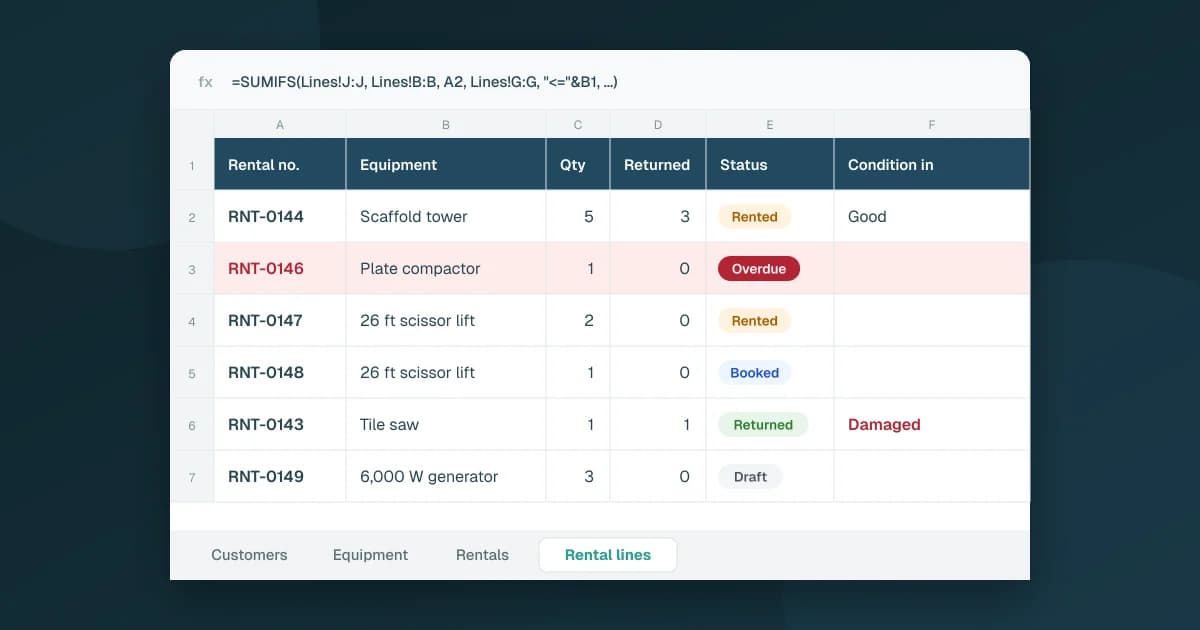
In a spreadsheet, this means a quantity column on every booking line and a formula that sums what's taken on each date. The method is in how to set up a rental tracking spreadsheet in Google Sheets. The weak spot is that the sheet only checks when someone asks, and two people taking calls on the same morning can both promise the last 10 chairs.
The Busy Weekend: Departures and Returns
From Thursday to Monday, the question shifts from "what's free?" to "what goes out and what comes back today?"
What helps on a busy weekend:
- A departures list for the day: which customer, which items, how many. That's the loading list for pickups.
- A returns list for the day: what should come back, so you notice on Monday morning that the barbecue's tables aren't there.
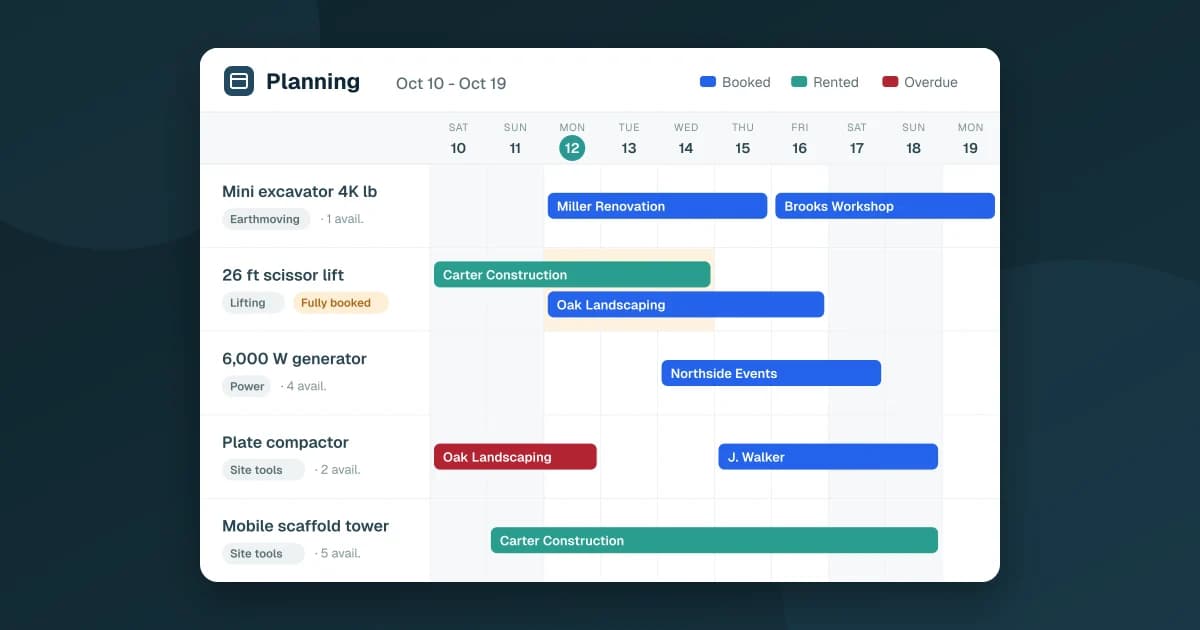
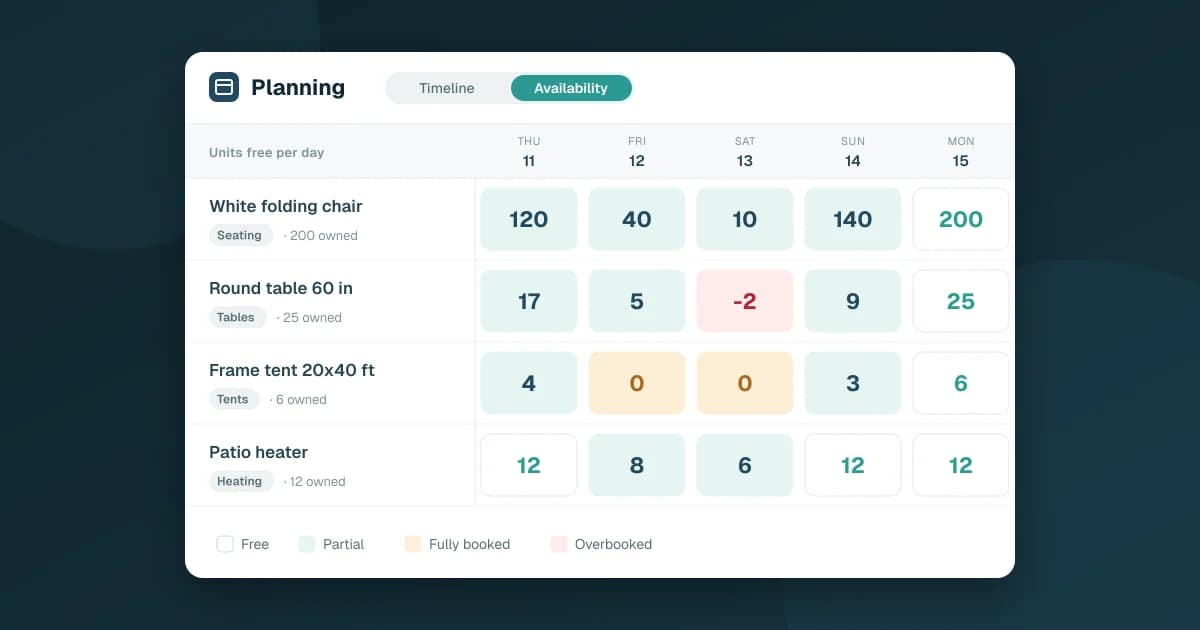
- A planning view by item: one row per item, one column per day, with each booking as a bar. Days where an item is fully booked stand out, and so do days where you've promised more than you own.
Overbooking usually doesn't come from one bad booking. It comes from a late return colliding with a full day: Friday's wedding keeps 20 chairs until Sunday, Saturday was already fully booked, and now Saturday is 20 short. Seeing that on Thursday gives you time to call someone. Seeing it on Saturday morning doesn't.
Partial Returns and Damage
Event rental returns are messy by nature. Chairs come back in stacks, linens come back in bags, a tent comes back with a torn sidewall.
What to record at every return:
- The quantity actually back, per item. If 196 chairs out of 200 return, the booking stays open for the 4 still out. Close it only when everything is back.
- The condition on return. New, good, fair, damaged. A tent marked damaged shouldn't go out the next weekend without someone checking it.
- The deposit decision. Received, refunded, or withheld when items come back broken or don't come back. Keep it separate from the payment status, so "paid" never hides "we still hold their deposit."
Damaged items then belong in your repair records: a maintenance history log is how you spot that the same tent model keeps coming back with broken poles.
The Numbers of the Season
At the end of the season, a few numbers tell you what to buy and what to stop stocking:
- Utilization per item: how many days each item was out compared with the days it could have been. Chairs out 40% of the season and the third tent out 5% are different decisions.
- Idle items: what never went out in the period.
- Peak units on rent and the busiest day: how close you came to running out, and when.
- Seasonality: which months are full, so you add stock before them, not during them.
- Departures by day of the week and booking lead time: how far ahead customers book, which tells you when the calendar for a weekend is really settled.
Doing This in Google Sheets With Fixeets Rental
You can run all of this in a spreadsheet for a while. Fixeets Rental keeps the data in a Google Sheet in your Drive and adds the checks a spreadsheet can't do on its own.
Each item has a quantity available for rent, a rate per day and a unit deposit. When you create a rental, Fixeets checks the quantity available on those dates and tells you if it isn't enough. Drafts don't block stock, and a late return keeps the items unavailable until they're back. The planning has a timeline and a calendar, an availability view that shows each day as free, partial or fully booked, the departures and returns of the day, and a flag on any item that is overbooked.
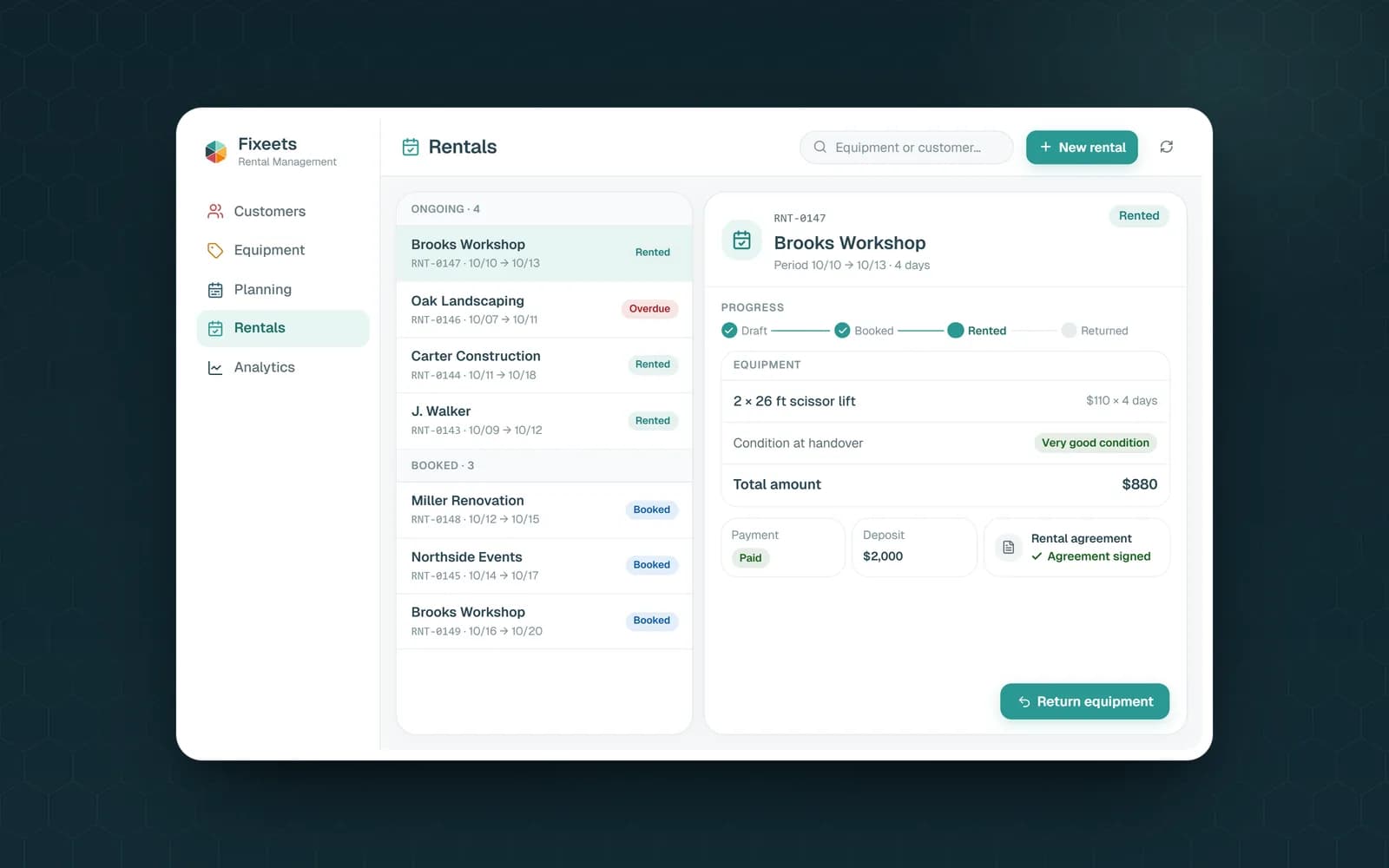
Returns can be partial, with the condition recorded at handover and at return, and payment and deposit each have their own status. The rental agreement is generated as a PDF in your Drive. The analytics include utilization by item, idle equipment, peak units on rent, the busiest day, seasonality over the last 12 months, departures by day of the week and booking lead time.
To be clear about scope: Fixeets Rental doesn't take online bookings or payments from your customers, and it doesn't plan deliveries or routes. If you're comparing options more broadly, what equipment rental software should do covers the trade-offs. Plans are on the pricing page.
Key Takeaways
- Event rental is about quantities: track how many chairs, tables and tents are free on each date, not just whether they exist
- Only confirmed bookings should block stock; quotes shouldn't
- Check the whole rental period, from pickup to return, not just the event day
- Overbooking usually comes from a late return colliding with a fully booked day
- Record the quantity back and the condition at every return, and keep the deposit separate from the payment
- Utilization, idle items, peak usage and seasonality tell you what to buy before next season
FAQ
How do party rental companies avoid double bookings? By recording a quantity and a period on every confirmed booking and checking what's left for the whole period before saying yes. Quotes shouldn't block stock, and late returns should keep items unavailable until they're back.
How do I track how many chairs and tables are available for an event? Keep the number you own per item, record each booking with its quantity and dates, and sum what's taken on each day of the requested period. Units free is what you own minus the highest number taken on any of those days.
What should I check when party rental items come back? The quantity actually returned for each item, its condition, and whether the deposit is refunded or withheld. Keep the booking open until every item is back.
Which numbers matter for a party rental business at the end of the season? Utilization per item, idle items, peak units on rent, the busiest day, seasonality, departures by day of the week and booking lead time.
Can Fixeets Rental plan deliveries for event rentals? No. Fixeets Rental tracks availability, rentals, returns, deposits and agreements, but it doesn't plan deliveries or routes and doesn't take online bookings or payments.