Yes, you can use Claude with Google Sheets, in more than one way. Anthropic's Claude for Google Workspace add-on opens Claude in a side panel of your spreadsheet, where it writes formulas, builds pivot tables and charts, and edits the file. Google has its own Google Sheets AI with Gemini. And apps that keep their data in Google Sheets, like Fixeets, can have their own connector, so Claude works in a stock, maintenance, order or rental file through the app's rules. For a file with history, such as stock movements or invoice numbers, how Claude writes matters as much as what it writes.
Claude and Google Sheets AI: The Options Today
Claude for Google Workspace, the add-on inside your sheet
Anthropic launched Claude for Google Workspace on October 6, 2026. It is an add-on for Google Docs, Sheets and Slides, in public beta on all paid Claude plans. You install it from the Google Workspace Marketplace, then open it in a spreadsheet with Extensions > Claude > Open Claude.
In Sheets, Claude reads the open file and your selection. It can write formulas, create pivot tables and charts, add tabs, and run a range through Python to clean or join data, then write the result back. It edits the file directly. The default mode is "Ask before edits": each change waits for your approval. The other mode, "Accept all edits", applies changes without asking each time.
Claude's Google Sheets connector, from a conversation
Claude also has Google Docs, Sheets and Slides connectors, in beta as well. They let Claude create and edit files from a conversation in Claude, without opening the sheet first. What Claude can reach follows your Google sharing: the files your own account can open or edit.
Gemini in Google Sheets and the AI function
Google's option is Gemini in Sheets. From the side panel, it generates tables and formulas, analyzes data, creates charts, applies formatting, sorts and filters. The =AI("prompt", [range]) cell function generates, summarizes or classifies text in a cell; it returns text only and has usage limits. You need an eligible Google Workspace or Google AI plan, and Google itself warns that Gemini can suggest inaccurate information.
Which one fits which job
| To compare | Claude for Google Workspace | Gemini in Google Sheets | Fixeets connector for Claude |
|---|---|---|---|
| Where you use it | Side panel in Sheets, Docs and Slides | Side panel in Sheets, plus the =AI() function | A conversation in Claude |
| What it does | Formulas, pivot tables, charts, tabs, Python cleanup | Tables, formulas, analysis, charts, formatting, text in cells | Records stock movements, maintenance work, orders and rentals |
| How the file changes | Claude edits cells, with or without approval per change | Gemini edits cells and formatting | Fixeets writes the rows, with the app's checks and history |
| Best for | Analysis, formulas, one-off cleanup in any sheet | Analysis and text work, if your team runs on Gemini | Fixeets Inventory, Maintenance, Orders and Rental files |
For a chart of last quarter's sales, a formula that flags late payments or a one-time cleanup of a supplier list, the Claude add-on or Gemini works in the spreadsheet you already have. You can use both kinds of tools: those for analysis, a connector for the files where your team records what happens day after day.
Why an AI Editing Cells Can Break a Management File
A spreadsheet accepts whatever goes into it. That is fine for analysis. In a file that tracks stock or invoices, the cells are the result of a process, and the process is what keeps them right. Two common examples:
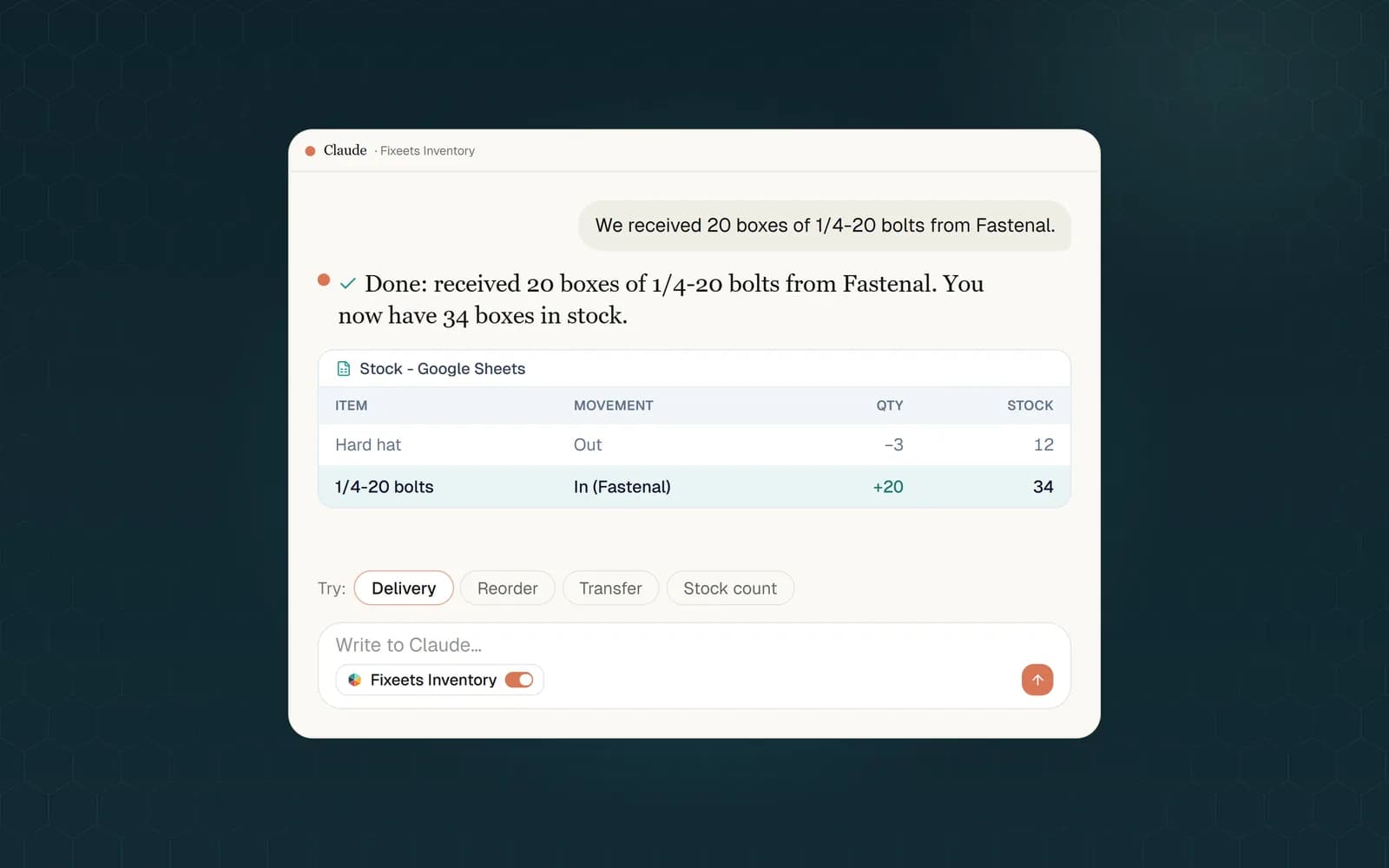
- Stock edited instead of moved. You write "We received 20 boxes of 1/4-20 bolts, update the stock." An AI that edits cells changes 14 to 34, and the number is correct today. But there is no stock-in line: no date, no supplier, no person. At the next count, the history no longer explains the quantity. And if that column was a formula built on the movements, the formula is gone.
- A duplicate invoice number. You ask for a new invoice. The easiest way to build one in a sheet is to copy last month's row, which copies INV-2026-0093 too. Or the AI takes "the next number" from the rows it can see, without knowing that 0094 was cancelled and must never be reused. The rules behind this are in invoice numbering rules and formats.
None of this means the AI is bad at spreadsheets. It does what the cells allow. The rules (stock changes are movements, an invoice number is used once, finished maintenance moves the next due date) live in people's heads or in an app, not in the sheet. "Ask before edits" helps, but you still have to know what the right change was. It is the same reason a plain spreadsheet drifts over time, as covered in Fixeets vs Excel for inventory.
The Fixeets Connector: Claude Goes Through the App's Rules
Fixeets Inventory, Maintenance, Orders and Rental keep their data in a Google Sheet on your own Drive. Each app has its own connector for Claude, an MCP server built by Fixeets, not by Anthropic. Through it, Claude does not edit cells. It calls the same actions as the app's buttons and forms, and Fixeets writes the rows.
- Stock changes are movements. A delivery is recorded as a stock-in, a job as a stock-out, each with its date and details, and the stock is recalculated from them. A stock-out larger than the available quantity is refused, unless you turned on negative stock. A wrong movement is corrected, not erased.
- Numbers come from your formats. In Orders, order and invoice numbers follow the numbering formats set in your file. An invoice number that is already used is refused, and nothing is written.
- Finished work closes the loop. In Maintenance, recording a completed intervention adds the report, moves the preventive task's next due date and closes the incident.
- Rental figures are calculated by Fixeets. Billed days, totals, deposits and availability are computed by the server, not estimated by Claude.
After writing, Claude tells you what changed and gives you the link to the file, so you can check it in Google Sheets.
What You Can Ask Claude in Each Fixeets App
Write the way you would to a colleague. Claude picks the action, and if it needs a reference or a missing detail, it looks it up or asks you.
Inventory (inventory management)
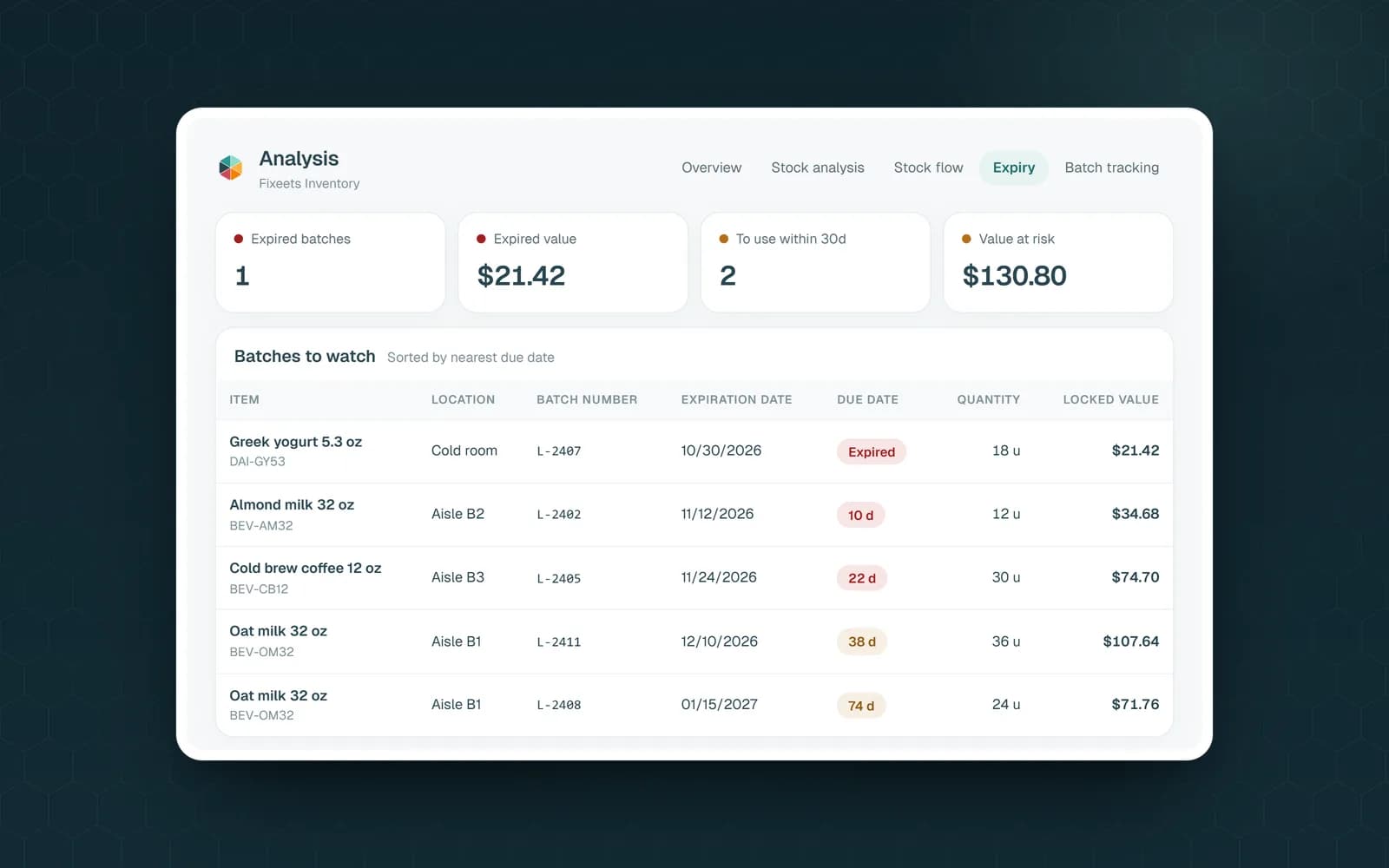
- "What do I need to reorder this week?" Claude lists the items at or below their safety stock.
- "Prepare an order to Fastenal for everything below safety stock." It creates the supplier purchase order, ready to check in the app.
- "We received 20 boxes of 1/4-20 bolts from Fastenal." It records the stock-in.
Maintenance (maintenance management)
- "What maintenance is due this week?" Claude lists overdue and upcoming preventive tasks, and open breakdowns.
- "The condenser cleaning on Chiller R2 is done." It records the intervention, asks for a meter reading if the plan runs on hours or miles, and for the spare parts used if an inventory file is linked.
Orders (order management)
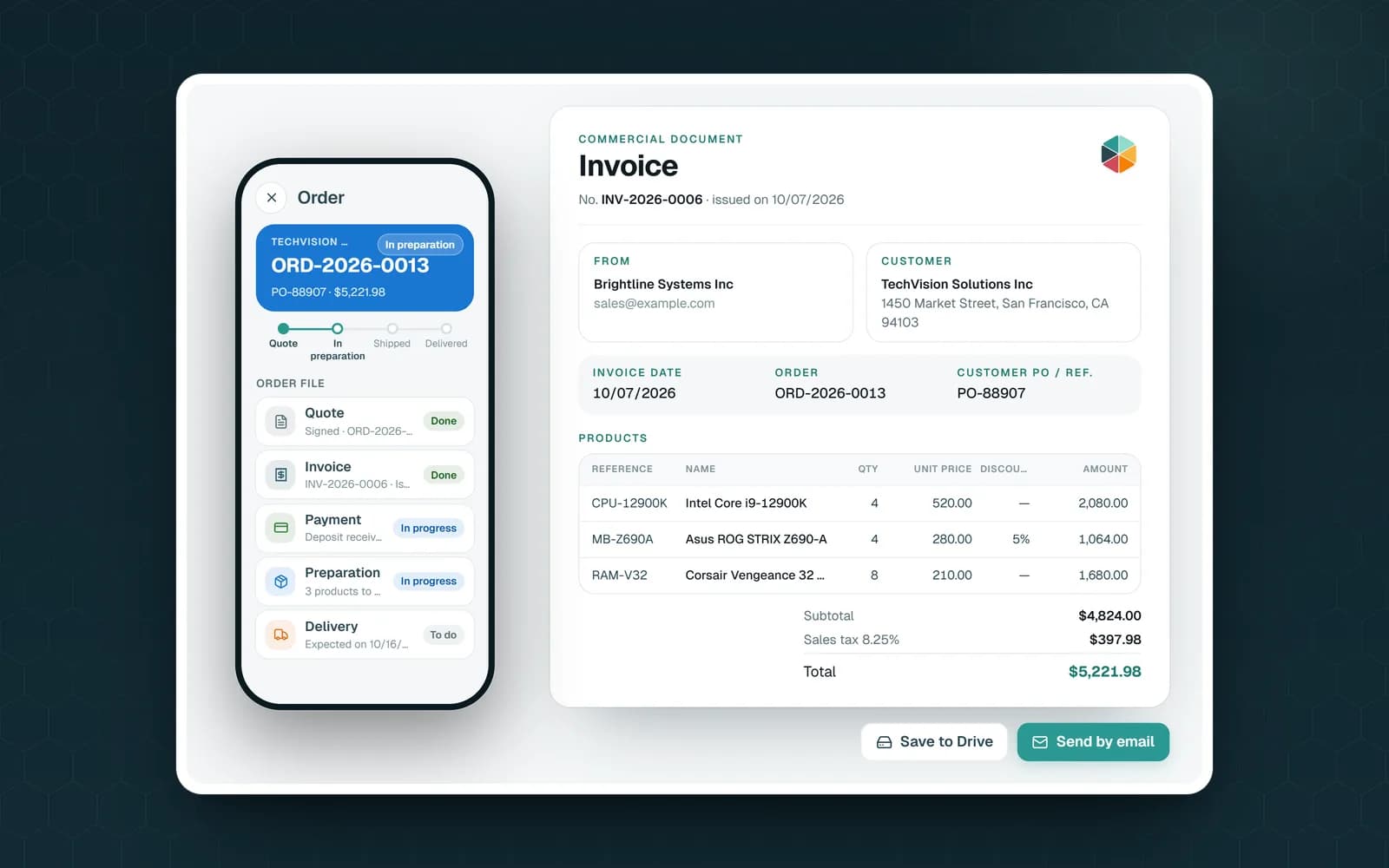
- "Create an order for Vertex Engineering: 40 safety harnesses and 2 cases of nitrile gloves." Claude finds the customer and the products, sums up the order and waits for your yes before creating it.
- "Which orders are still in preparation?" It lists them and can mark one ready to ship, the next step in tracking orders in Google Sheets.
Rental (rental management)
- "Carter Construction wants a mini excavator, a plate compactor and a concrete mixer from October 15 to 18. Can we do it?" Claude checks availability over those dates, then offers to create the rental. When the mixer comes back, it records the return, in full or in part.
What the Connector Does Not Do on Its Own
- It asks before deleting. Before a deletion or a large change, Claude sums up what will change and waits for your explicit yes. Fixeets refuses the deleting actions without that confirmation.
- It has your rights, not more. Each person connects with their own Google account. Collaborator permissions and your Fixeets plan apply exactly as in the app. If an action goes beyond them, nothing is written and Claude explains why.
- It only sees Fixeets files. Fixeets uses Google's "drive.file" access, limited to the files the Fixeets app created. The rest of your Drive stays out of the connector's reach.
- It does not make the PDFs. Quotes, invoices and delivery notes are generated in the Fixeets Orders app. Claude can share a PDF that already exists.
- It works with Claude only. The Fixeets connector does not work with Gemini or ChatGPT today.
What you ask Claude to read, such as item names or attached files, is sent to Anthropic like any Claude conversation, so you choose what you share.
How to Connect Claude to Your Fixeets File
- Install the Fixeets app you need from the Google Workspace Marketplace and create your file.
- On the Connect Fixeets to Claude page, choose your app. Its official listing opens in Claude's connector directory: click "Connect".
- Sign in with Google and allow access.
- In a conversation, turn on the connector in Claude's tools menu, then write what happened.
Each app has its own connector, so repeat these steps for Maintenance, Orders or Rental. The connector is included in the free plan, with that plan's usual limits, listed on the pricing page. You also need a Claude account.
Claude is a trademark of Anthropic. Fixeets is an independent service.
Claude and Google Sheets: Key Takeaways
- For formulas, charts, pivot tables and one-off cleanup, Claude for Google Workspace or Gemini works in any spreadsheet
- In a management file, the rules matter: stock changes are movements, an invoice number is used once
- The Fixeets connector makes Claude follow those rules in Inventory, Maintenance, Orders and Rental
- It asks before deleting, keeps your rights and plan, and only sees the files Fixeets created
- Connect it from the Claude page; it is included in the free plan